AWS Secrets Management
AWS secrets management solution with Infrastructure as Code, cost optimization, automated rotation, and monitoring
Managing secrets securely in AWS doesn’t have to be expensive or insecure. This walks through building a solution that combines cost optimization, automated rotation, and monitoring.
The Problem of Secrets Sprawl in Applications
Common secrets management problems:
- Hardcoded secrets in configuration files and environment variables
- Manual rotation processes that are error-prone and inconsistent
- Excessive costs from over-relying on AWS Secrets Manager
- Lack of monitoring and alerting for unauthorized access
- Complex integration across different compute services
The architecture routes secrets by characteristic:
Architecture Overview & Benefits
- AWS Secrets Manager: For credentials needing automated rotation ($0.40/month each)
- AWS Parameter Store: For static secrets and configuration values (free for standard parameters)
- Customer-managed KMS keys with automatic rotation enabled
- Zero-trust IAM policies with IP restrictions and permission boundaries
- Audit logging via CloudTrail with S3 storage
- Real-time monitoring with custom CloudWatch metrics and alerting
Performance & Cost Optimization
- In-memory caching to reduce API calls and costs
- Lifecycle management for logs and audit data
- Resource tagging for cost tracking and governance
Automated Operations
- Infrastructure as Code with Terraform modules
- EventBridge-driven alerting for security events
Prerequisites and Environment Setup
Required Tools and Permissions
Install these tools first:
# Verify tool installations
terraform --version
aws --version
jq --version
AWS Permissions
Your AWS credentials need:
- KMS key management
- Secrets Manager and Parameter Store operations
- IAM role and policy creation
- CloudWatch metrics and alarms
- Lambda function deployment
- EventBridge rule configuration
- SNS topic creation and subscription management
Environment Preparation
# Clone the project repository
git clone https://github.com/ToluGIT/aws-secrets-manager
cd aws-secrets-management

# Verify the project structure
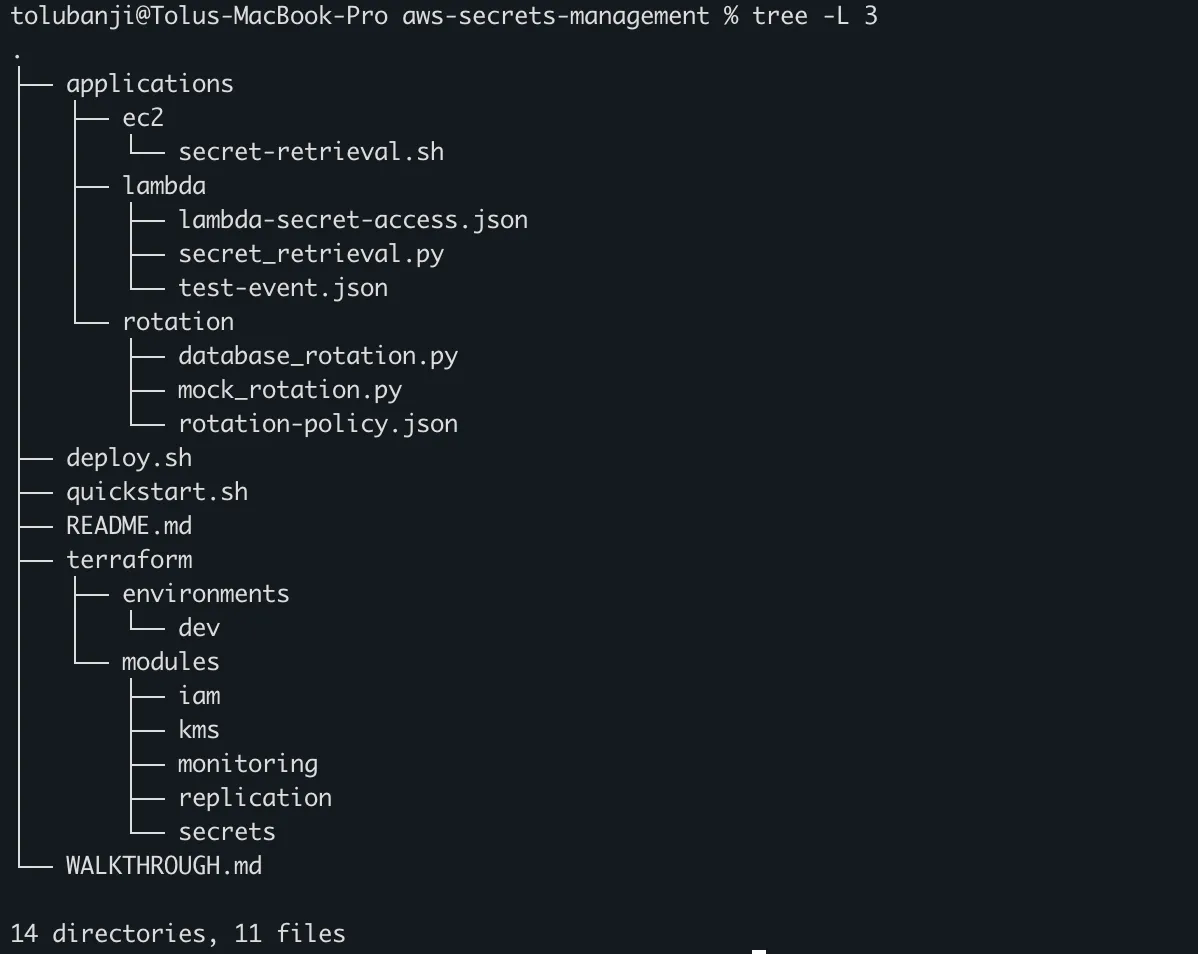
tree -L 3
Expected directory layout:
Phase 1: Infrastructure Foundation with Terraform
Step 1: Environment Configuration
Navigate to the target environment directory:
cd terraform/environments/devCustomize the configuration file:
# terraform/environments/dev/terraform.tfvars
project         = "enterprise-secrets"
environment     = "dev"
allowed_ips     = ["203.0.113.0/24", "198.51.100.0/24"]  # Your  IP ranges
recovery_window_days = 30
log_retention_days   = 90
Note: Terraform variables can come from three places: defaults in the declaration, the terraform.tfvars file (what we’ve set up), or environment variables with the TF_VAR_ prefix (export TF_VAR_alert_email=toluidni@gmail.com). Precedence: env vars > tfvars > defaults.
Step 2: Review Secret Configuration
main.tf defines the secrets inventory:
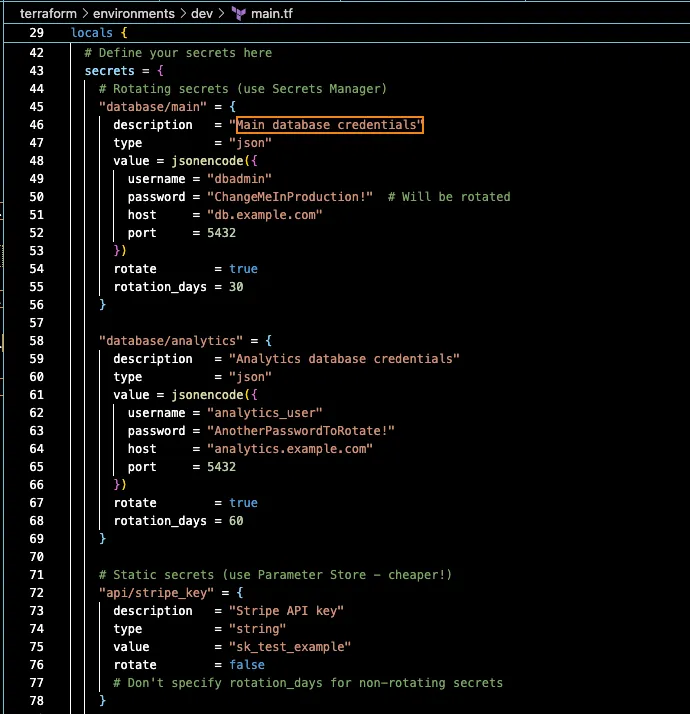
Security Best Practice: The first deployment rotates the initial passwords.
Step 3: Deploy Infrastructure
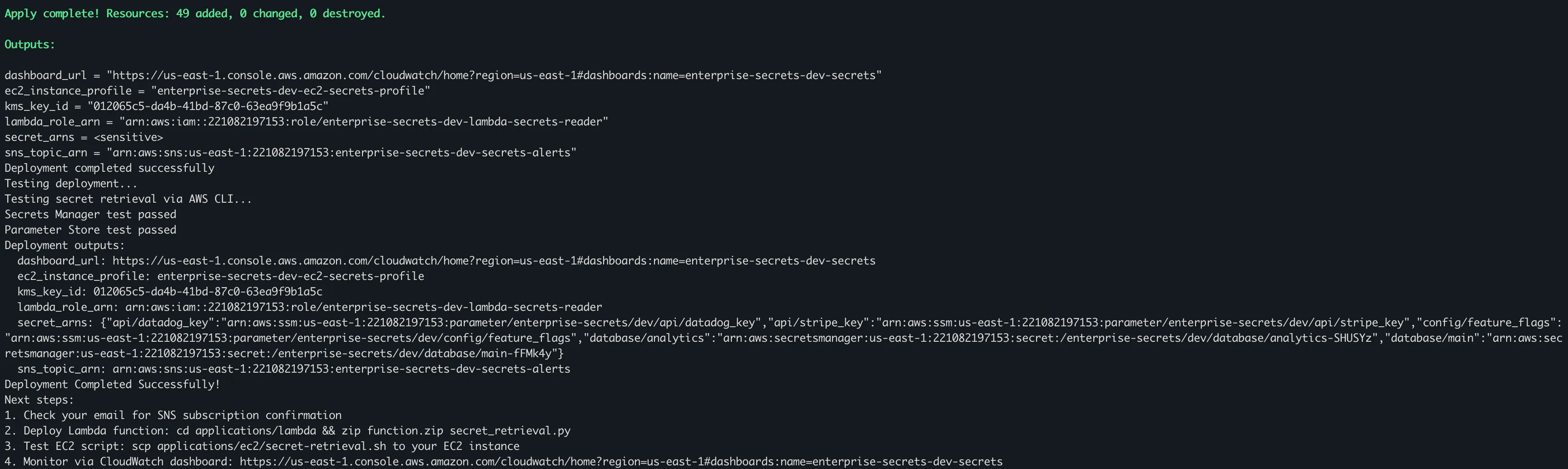
Run the automated deployment script:
# Make the deployment script executable
chmod +x ../../../deploy.sh

# Run the automated deployment
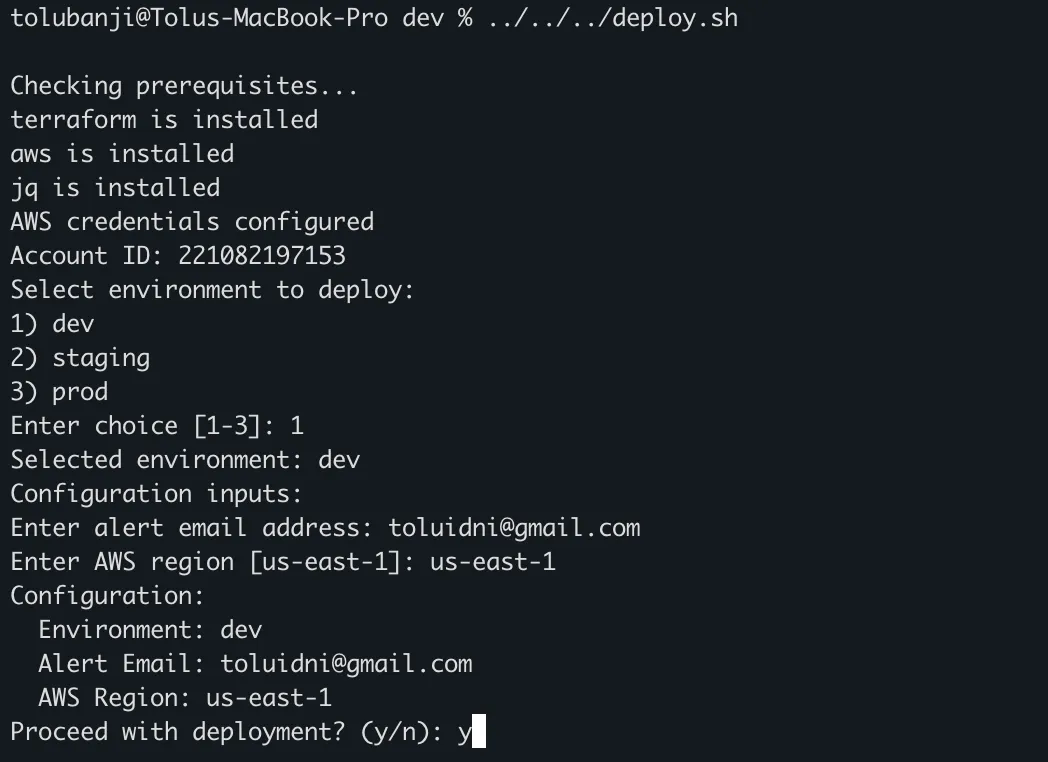
../../../deploy.sh
The script guides you through deployment:
Step 4: Verify Infrastructure
Test the deployed infrastructure:
# Test Secrets Manager access
aws secretsmanager get-secret-value \
  --secret-id /enterprise-secrets/dev/database/main \
  --region us-east-1 \
  --query 'SecretString' \
  --output text | jq .

# Test Parameter Store access
aws ssm get-parameter \
  --name /enterprise-secrets/dev/api/stripe_key \
  --with-decryption \
  --region us-east-1 \
  --query 'Parameter.Value' \
  --output text

# Verify KMS key rotation status
aws kms get-key-rotation-status \
  --key-id $(terraform output -raw kms_key_id) \
  --region us-east-1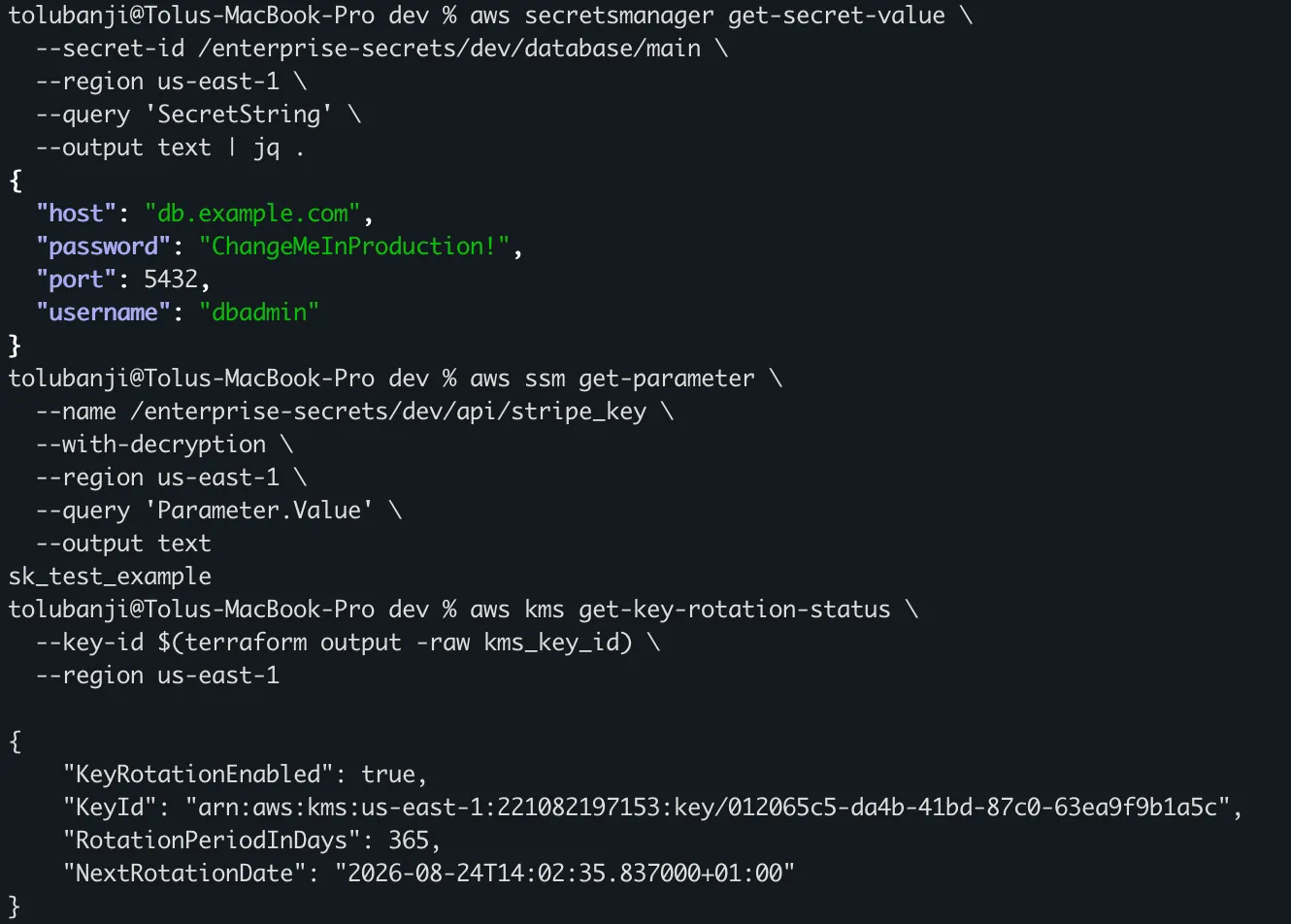
Phase 2: Secret Management Organization
Secret Naming Convention
All secrets follow this hierarchy:
/{PROJECT}/{ENVIRONMENT}/{CATEGORY}/{NAME}

Examples:
/enterprise-secrets/prod/database/main
/enterprise-secrets/prod/api/stripe_key
/enterprise-secrets/dev/config/feature_flags
Adding New Secrets
To add secrets, update the locals.secrets block in main.tf:
# Add a new rotating secret
"database/analytics" = {
  description   = "Analytics database credentials"
  type          = "json"
  value = jsonencode({
    username = "analytics_user"
    password = "TempPassword456!"
    host     = "analytics.prod.yourcompany.com"
    port     = 5432
  })
  rotate        = true
  rotation_days = 60  # Rotate every 60 days
}

# Add a new static secret
"integrations/slack_webhook" = {
  description = "Slack webhook URL for notifications"
  type        = "string"
  value       = "https://hooks.slack.com/services/YOUR/WEBHOOK/URL"
  rotate      = false
}
Apply the changes:
terraform plan -var="alert_email=toluidni@gmail.com"
terraform apply
Phase 3: Application Integration Patterns
Lambda Function Integration
Deploy the secret retrieval Lambda:
cd applications/lambda

# Create deployment package
zip function.zip secret_retrieval.py

# Deploy the Lambda function
aws lambda create-function \
  --function-name enterprise-secrets-dev-retrieval \
  --runtime python3.11 \
  --role arn:aws:iam::xxxxxxxx:role/enterprise-secrets-dev-lambda-secrets-reader \
  --handler secret_retrieval.lambda_handler \
  --zip-file fileb://function.zip \
  --timeout 30 \
  --memory-size 256 \
  --environment "Variables={ENVIRONMENT=dev,PROJECT=enterprise-secrets,CACHE_TTL=300}" \
  --region us-east-1
Note: lambda_role_arn comes from your terraform apply. Retrieve it with:
cd ../../terraform/environments/dev && terraform output -raw lambda_role_arnUsing the Lambda Function
The Lambda handles caching and error handling:
# Example usage in your application Lambda
from secret_retrieval import get_secret_from_manager, get_parameter

def your_application_handler(event, context):
    # Get database credentials (from Secrets Manager)
    db_creds = get_secret_from_manager('database/main')

    # Create connection string
    connection_string = (
        f"postgresql://{db_creds['username']}:{db_creds['password']}"
        f"@{db_creds['host']}:{db_creds['port']}/mydb"
    )

    # Get API key (from Parameter Store)
    stripe_key = get_parameter('api/stripe_key')

    # Get feature flags
    features = get_parameter('config/feature_flags')

    # Your application logic here
    return process_request(connection_string, stripe_key, features)
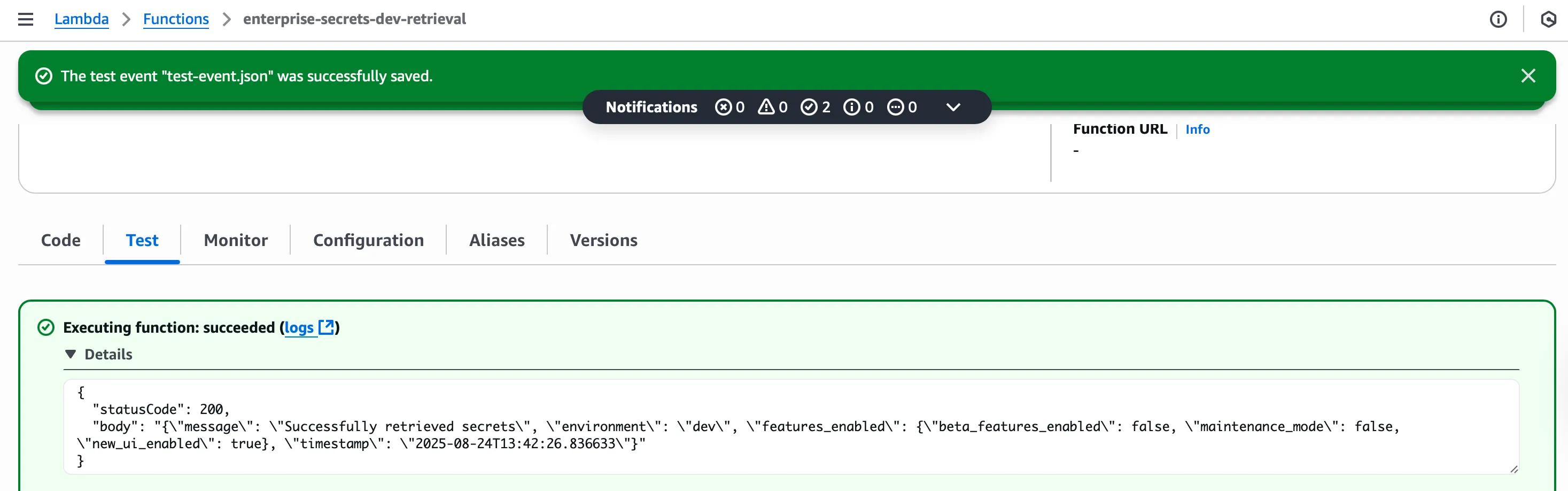
Testing the Lambda Function
# Create test event
cat > test-event.json << EOF
{
  "test": true,
  "requested_secrets": ["database/main", "api/stripe_key"]
}
EOF

# Invoke the function
aws lambda invoke \
  --function-name enterprise-secrets-dev-retrieval \
  --payload file://test-event.json \
  --cli-binary-format raw-in-base64-out \
  --region us-east-1 \
  response.json

# View the response
cat response.json | jq .
EC2 Instance Integration
Deploy the retrieval script to your EC2 instances:
# Ensure your EC2 instance uses the IAM instance role created.
# Copy script to EC2 instance (replace with your instance details)
scp -i 'your private key (.pem file) applications/ec2/secret-retrieval.sh ec2-user@your-instance-ip:/home/ec2-user/

# SSH to the instance and set up the script
ssh ec2-user@your-instance-ip
On the instance, complete setup:
# Move script to system location
sudo cp secret-retrieval.sh /opt/scripts/
sudo chmod +x /opt/scripts/secret-retrieval.sh

# Create required directories
sudo mkdir -p /var/cache/secrets
sudo chmod 600 /var/cache/secrets
sudo chown ec2-user:ec2-user /var/cache/secrets

# Set up environment variables
echo 'export PROJECT="enterprise-secrets"' >> ~/.bashrc
echo 'export ENVIRONMENT="dev"' >> ~/.bashrc
echo 'export AWS_REGION="us-east-1"' >> ~/.bashrc
source ~/.bashrc

# Install jq for JSON processing
sudo yum install -y jq
EC2 Usage Patterns
The script supports several integration patterns:
# Export secrets as environment variables
sudo bash -c 'source /opt/scripts/secret-retrieval.sh export && echo "Database Host: $DB_HOST" "Database Username: $DB_USERNAME" '


# Retrieve individual secrets
DB_PASSWORD=$(/opt/scripts/secret-retrieval.sh get-secret database/main | jq -r '.password')
STRIPE_KEY=$(/opt/scripts/secret-retrieval.sh get-parameter api/stripe_key)

DB_PASSWORD=$(sudo /opt/scripts/secret-retrieval.sh debug-json database/main | grep "password:" | cut -d ' ' -f2)

echo "Password: ${DB_PASSWORD:0:3}***"


# Application startup script for a web application:

#!/bin/bash
# /opt/yourapp/start.sh

# Load all secrets into environment
source /opt/scripts/secret-retrieval.sh export

# Build application configuration
export DATABASE_URL="postgresql://${DB_USERNAME}:${DB_PASSWORD}@${DB_HOST}:${DB_PORT}/yourapp"
export STRIPE_SECRET_KEY="${STRIPE_API_KEY}"

# Start your application
python /opt/yourapp/app.py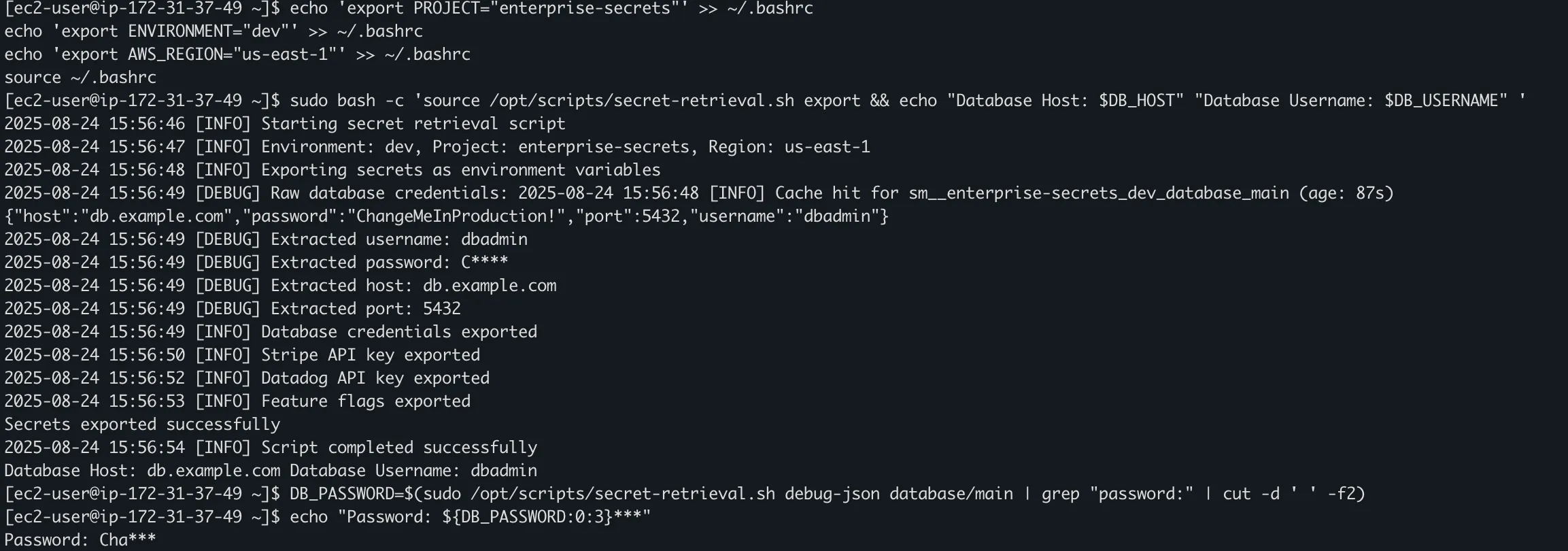
Performance Testing
# Test caching efficiency
echo "Testing cache performance..."
time /opt/scripts/secret-retrieval.sh get-secret database/main
time /opt/scripts/secret-retrieval.sh get-secret database/main  # Should be faster

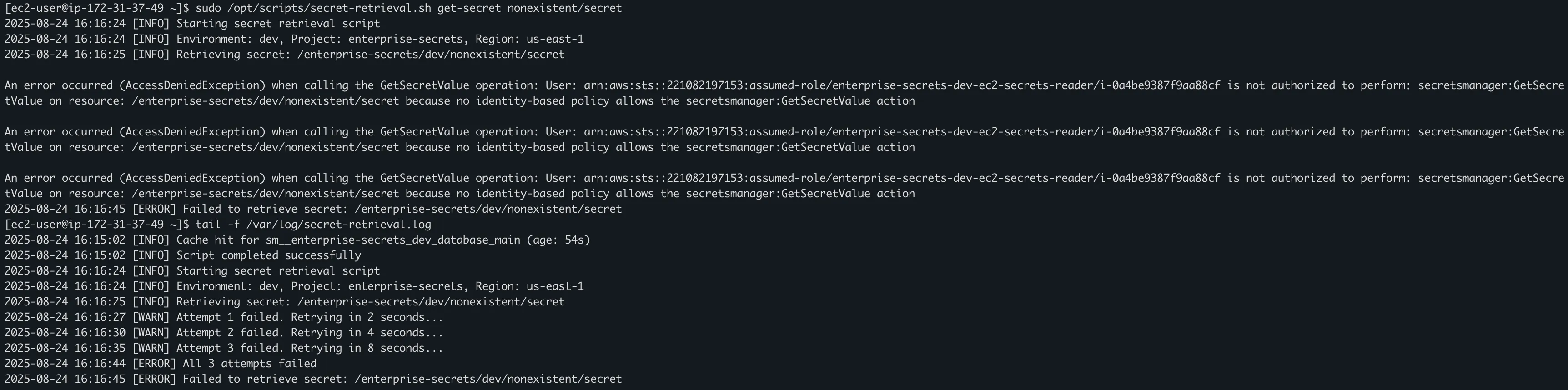
# Test error handling
/opt/scripts/secret-retrieval.sh get-secret nonexistent/secret

# View logs
tail -f /var/log/secret-retrieval.log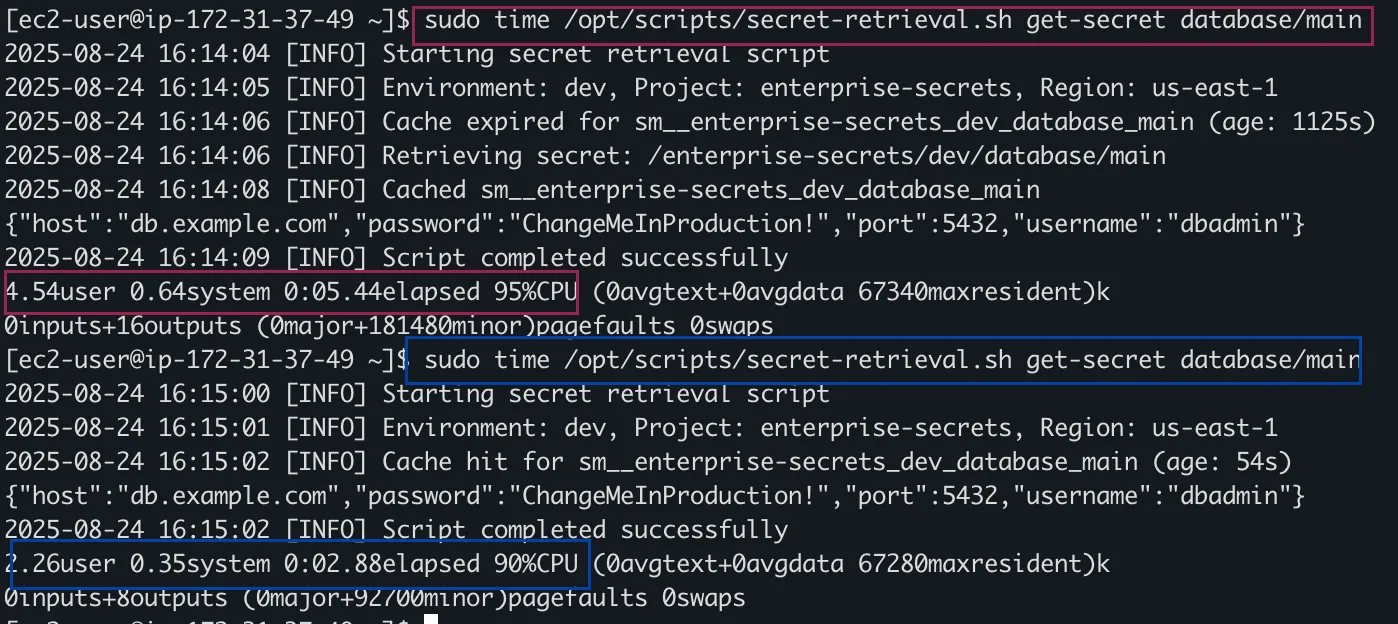
Phase 4: Monitoring
CloudWatch Dashboard Setup
Access the dashboard:
# Get dashboard URL from Terraform output
terraform output dashboard_url
The dashboard covers:
- Secret Access: Request volume and timing
- Cache Performance: Hit ratios and metrics
- Rotation Status: Success/failure of automatic rotations
Custom Metrics Implementation
The Lambda sends detailed metrics to CloudWatch automatically:
# Example metrics sent by the Lambda function
send_metric('SecretRetrievalSuccess', 1)       # Successful retrievals
send_metric('SecretCacheHit', 1)               # Cache performance tracking
send_metric('LambdaInvocation', 1)             # Usage patterns
send_metric('SecretRetrievalFailure', 1)       # Error tracking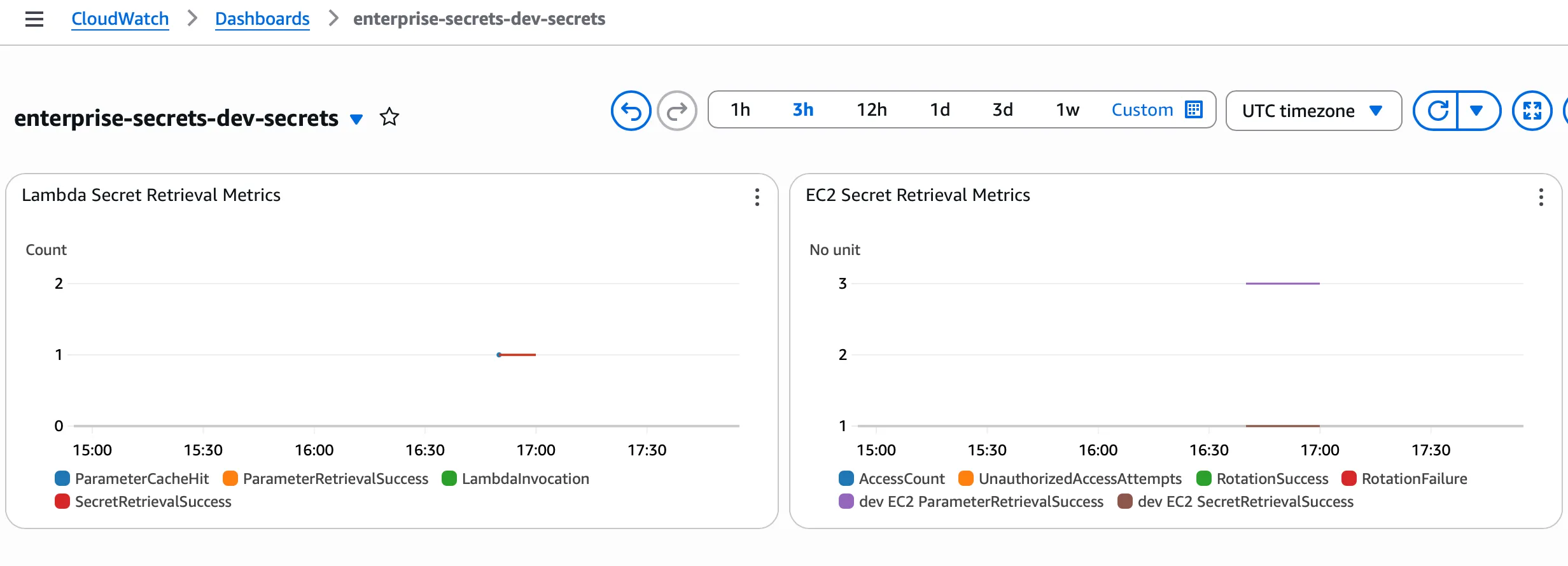
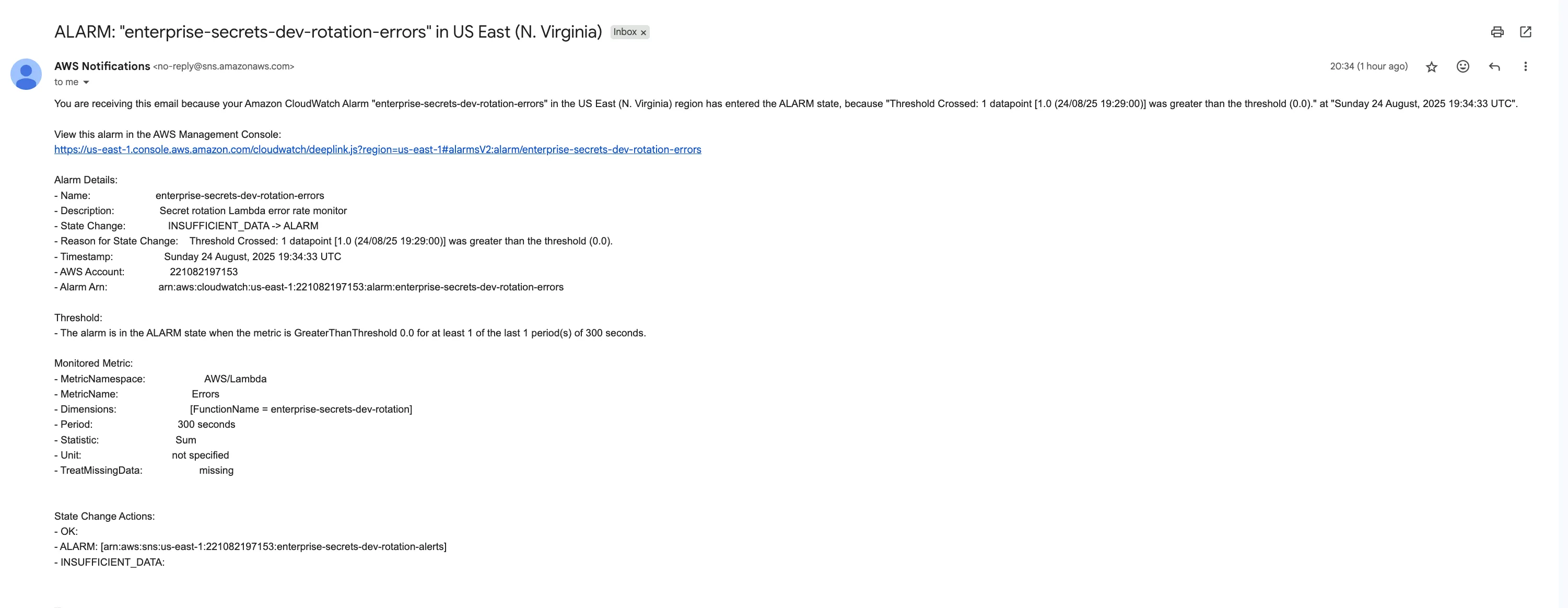
An email notification triggered by a SecretRotationFailure metric
Query metrics using AWS CLI:
# View secret retrieval success metrics
aws cloudwatch get-metric-statistics --namespace "CustomMetrics/Secrets" --metric-name SecretRetrievalSuccess --start-time "$(date -u -v-24H +%Y-%m-%dT%H:%M:%SZ)" --end-time "$(date -u +%Y-%m-%dT%H:%M:%SZ)" --period 3600 --statistics Sum --dimensions Name=Environment,Value=dev Name=Function,Value=SecretRetrieval --region us-east-1

EventBridge Rules for Security Events
The infrastructure configures EventBridge rules to detect:
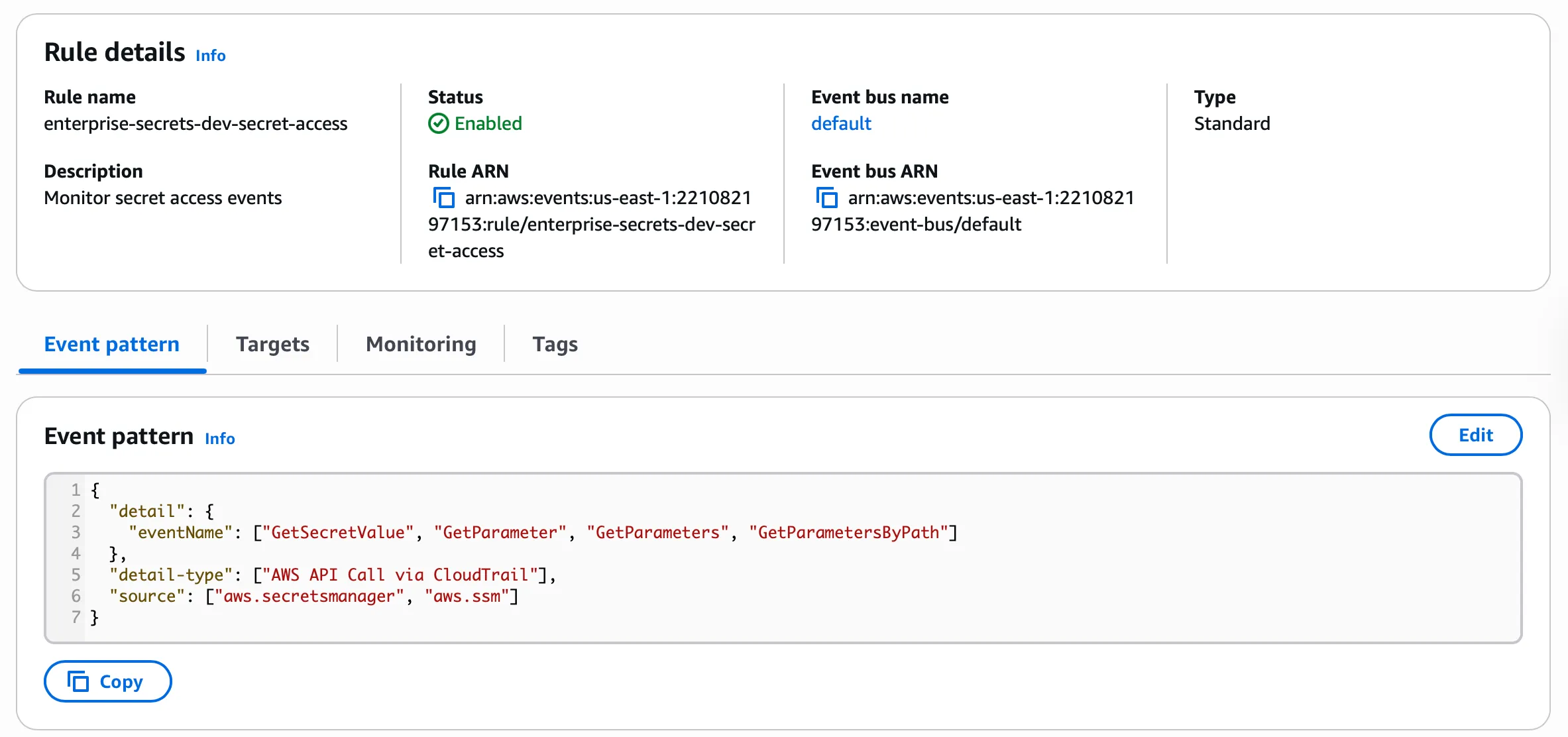
- Monitor secret access events:
{
  "detail": {
    "eventName": ["GetSecretValue", "GetParameter", "GetParameters", "GetParametersByPath"]
  },
  "detail-type": ["AWS API Call via CloudTrail"],
  "source": ["aws.secretsmanager", "aws.ssm"]
}
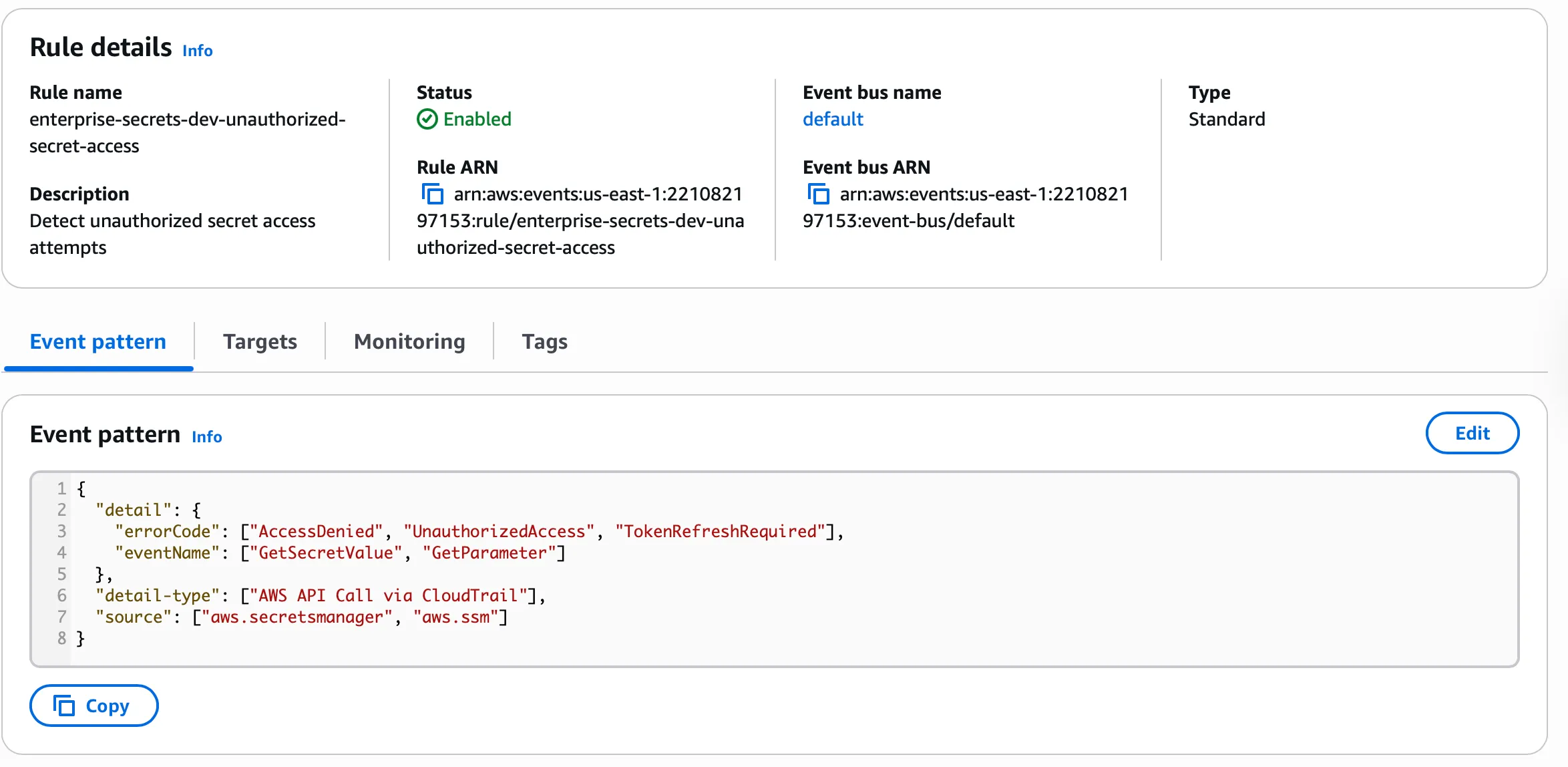
- Unauthorized Access Attempts:
{
  "detail": {
    "errorCode": ["AccessDenied", "UnauthorizedAccess", "TokenRefreshRequired"],
    "eventName": ["GetSecretValue", "GetParameter"]
  },
  "detail-type": ["AWS API Call via CloudTrail"],
  "source": ["aws.secretsmanager", "aws.ssm"]
}
Phase 5: Secret Rotation Implementation
Automatic Database Rotation
This includes a rotation Lambda for:
- PostgreSQL and MySQL databases
Package and deploy it:
cd applications/rotation

# Install dependencies (if needed for packaging)
pip install psycopg2-binary pymysql -t .

# Create deployment package
# For development/testing environments (recommended):
zip -r rotation-function.zip mock_rotation.py

# For production environments (uncomment below):
# zip -r rotation-function.zip database_rotation.py

# Deploy rotation Lambda
#Note this is already setup
aws lambda create-function \
  --function-name enterprise-secrets-dev-rotation \
  --runtime python3.11 \
  --role $(cd ../../terraform/environments/dev && terraform output -raw rotation_lambda_role_arn) \
  --handler mock_rotation.lambda_handler \
  --zip-file fileb://rotation-function.zip \
  --timeout 30 \
  --memory-size 128 \
  --environment Variables='{
    "ENVIRONMENT":"dev",
    "PROJECT":"enterprise-secrets"
  }' \
  --region us-east-1
Rotation Lambda Permissions
# Verify the resource policy
aws lambda get-policy \
  --function-name enterprise-secrets-dev-rotation \
  --region us-east-1
Configure Secrets Manager Rotation
Enable rotation for the database secrets:
# Get the rotation Lambda ARN
ROTATION_LAMBDA_ARN=$(aws lambda get-function \
  --function-name enterprise-secrets-dev-rotation \
  --query 'Configuration.FunctionArn' \
  --output text \
  --region us-east-1)

# Or  "cd ../../terraform/environments/dev && terraform output -raw rotation_lambda_role_arn" to get the value

aws secretsmanager rotate-secret \
  --secret-id /enterprise-secrets/dev/database/main \
  --rotation-lambda-arn $ROTATION_LAMBDA_ARN \
  --rotation-rules '{"AutomaticallyAfterDays": 30}' \
  --region us-east-1

# Configure rotation for analytics database (different schedule)
aws secretsmanager rotate-secret \
  --secret-id /enterprise-secrets/dev/database/analytics \
  --rotation-lambda-arn $ROTATION_LAMBDA_ARN \
  --rotation-rules '{"AutomaticallyAfterDays": 60}' \
  --region us-east-1
Manual Rotation Testing
# Check rotation configuration
aws secretsmanager describe-secret \
  --secret-id /enterprise-secrets/dev/database/main

# Trigger rotation
aws secretsmanager rotate-secret \
  --secret-id /enterprise-secrets/dev/database/main \
  --region us-east-1

# Check rotation result
aws secretsmanager list-secret-version-ids \
  --secret-id /enterprise-secrets/dev/database/main \
  --region us-east-1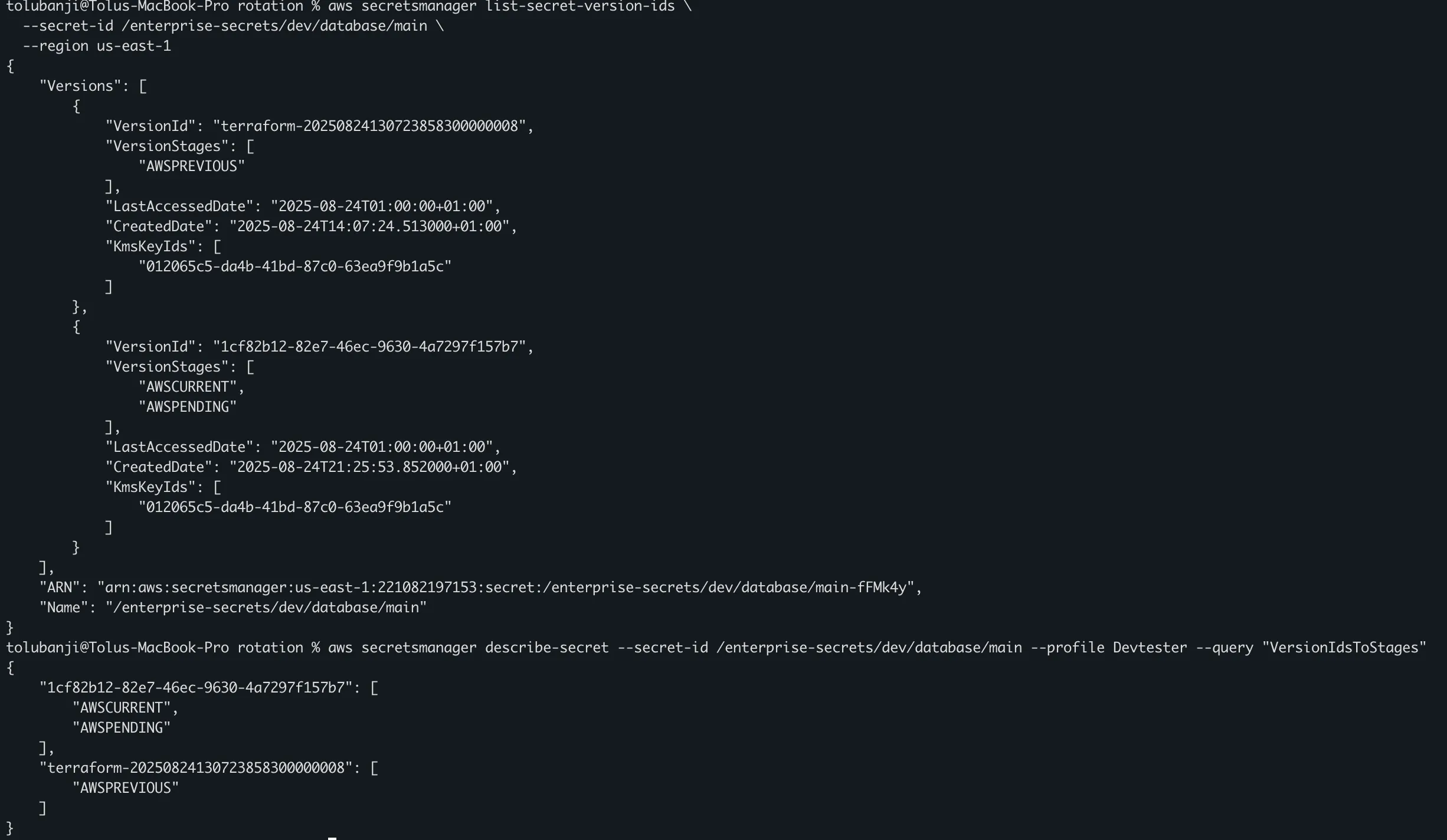
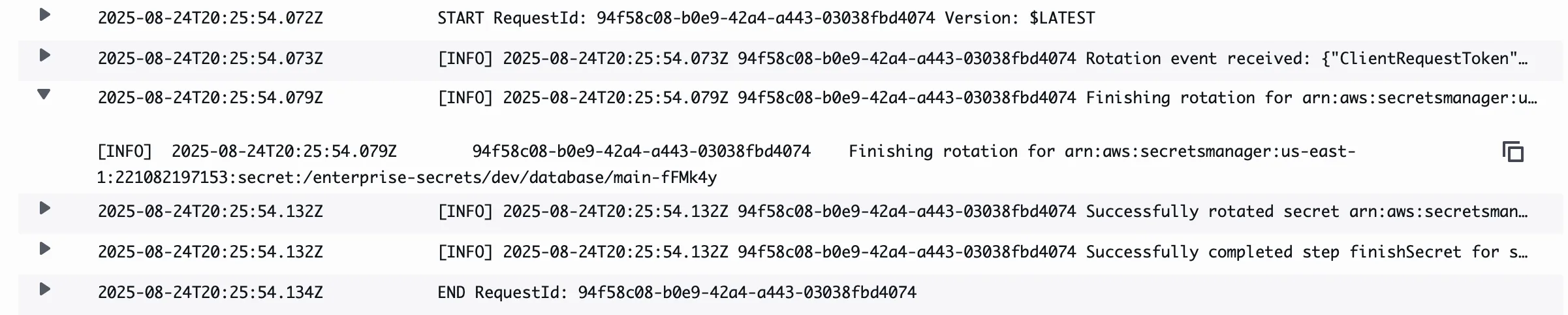
Rotation Monitoring and Logs
Monitor rotation through CloudWatch logs:
# View rotation Lambda logs
aws logs filter-log-events \
  --log-group-name /aws/lambda/enterprise-secrets-dev-rotation \
  --start-time $(date -d '10 minutes ago' +%s)000 \
  --filter-pattern "ERROR" \
  --region us-east-1

# Check for successful rotation events
aws logs filter-log-events \
  --log-group-name /aws/lambda/enterprise-secrets-dev-rotation \
  --start-time $(date -d '10 minutes ago' +%s)000 \
  --filter-pattern "Successfully completed step" \
  --region us-east-1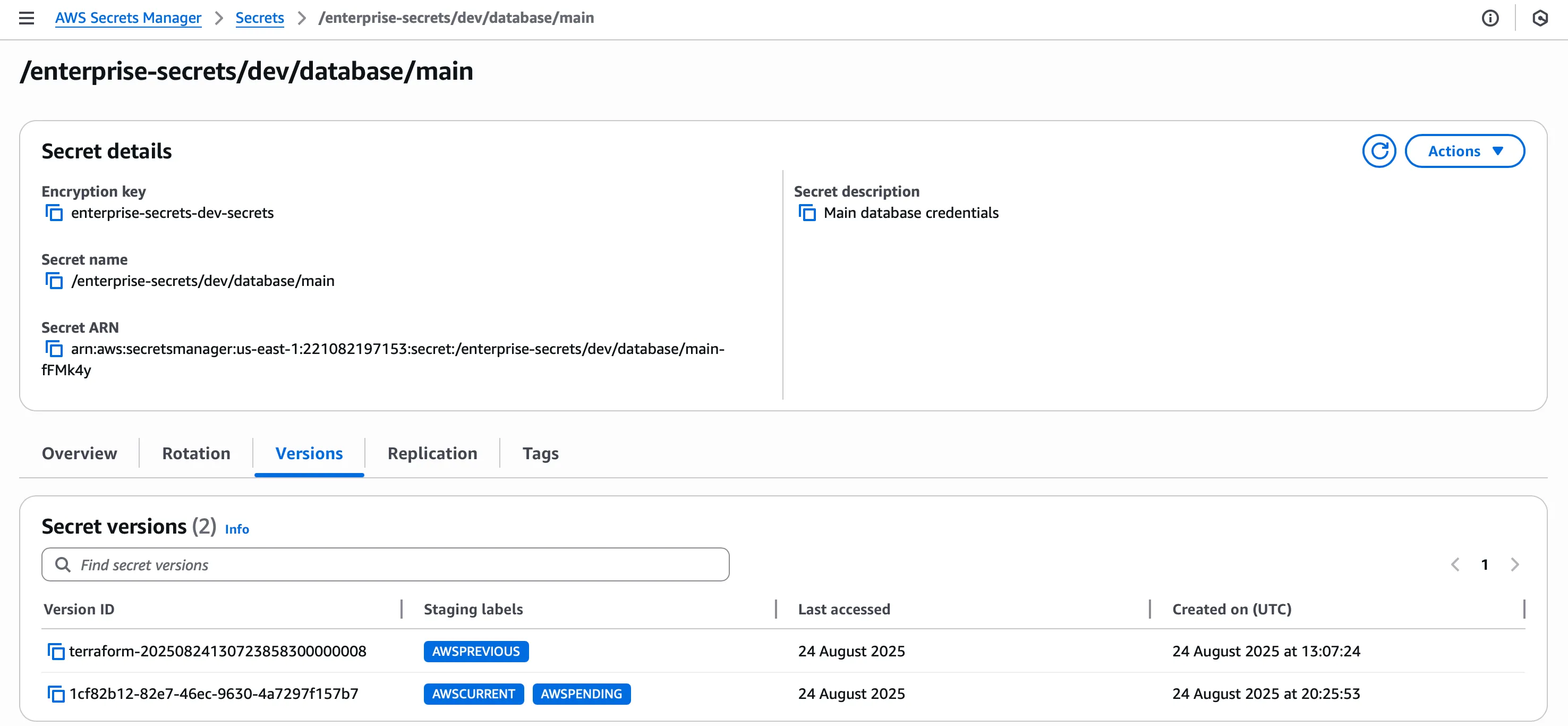
Opportunities to further improve on - next steps
Cross-Region Disaster Recovery
# Enable cross-region replication for critical secrets
aws secretsmanager replicate-secret-to-regions \
  --secret-id /enterprise-secrets/prod/database/main \
  --add-replica-regions Region=us-west-2,kmsKeyId=enterprise-secrets-dev-secrets/enterprise-secrets-prod-west \
  --region us-east-1

# Verify replication status
aws secretsmanager describe-secret \
  --secret-id /enterprise-secrets/prod/database/main \
  --region us-east-1 \
  --query 'ReplicationStatus'
module "secrets_replication" {
source = "./modules/replication"
primary_region = "us-east-1"
replica_region = "us-west-2"
secrets_to_replicate = [
"/enterprise-secrets/prod/database/main",
"/enterprise-secrets/prod/api/payment_processor"
]
}Kubernetes Integration
# External Secrets Operator configuration
apiVersion: external-secrets.io/v1beta1
kind: SecretStore
metadata:
  name: aws-secrets-manager
spec:
  provider:
    aws:
      service: SecretsManager
      region: us-east-1
      auth:
        jwt:
          serviceAccountRef:
            name: external-secrets-sa
Secret Scanning Pipeline
# GitHub Actions workflow for secret scanning
name: Secret Scanning
on: [push, pull_request]
jobs:
  scan:
    runs-on: ubuntu-latest
    steps:
      - uses: actions/checkout@v2
      - name: Run Secret Scan
        uses: trufflesecurity/trufflehog@main
        with:
          path: ./
          base: main
          head: HEAD
Effective secrets management is core to modern application security, and strong security does not have to come at high cost. Combining AWS native services with sound architecture decisions gets you a solution that scales.
Review your implementation regularly and keep improving how you manage secrets, since ongoing maintenance is part of keeping it secure.